

Waiting on a customer? LoonStack follows up.
When something needs an answer, like a quote to sign or an invoice to pay, LoonStack reminds the customer on your schedule and stops on its own when it comes back.
Sample business, sample data
Watch it work
Follow-ups, start to finish.
On every plan. No add-on, no extra fee.
- Waiting on customer on the Today screen lists everything sent that needs an answer, and when the next reminder goes.
- Ask for something by hand, like photos.
- Pick the customer.
- Describe what you need.
- Start reminders.
- It stops on its own when it comes back, the customer replies or opts out.
What it does.
- Starts on its own for sent quotes, invoices, agreements and booked appointments.
- Your schedule reminder days and a closing note, set once.
- Business hours only 9 am to 6 pm in your time zone.
- Email, and text if you want texts through your own texting account; STOP is honored.
- Pause, resume or stop any one of them.
- Ask for anything files, photos, a form or a review.
How each trade uses it.
Every business type gets follow-ups on every plan. A few examples:
- Home tradesUnsigned quotes get reminders until they sign.
- Accounting and taxDocuments get asked for until they arrive.
- Roofing and exteriorEstimates that sit get a nudge on day 2, 5 and 9.
- Law firmsSigned engagement letters, chased for you.
- Moving and junk removalQuotes for moves followed up before the date fills.
- Real estate and propertyPaperwork requested until it comes back.
Every feature, on every plan.
LoonStack CRM Solo
$69 a month
1 user
LoonStack CRM Crew
$129 a month
Up to 10 users
LoonStack CRM Company
$199 a month
Unlimited users
Every feature is on every plan. 30-day free trial: $0 today, card required, cancel in Billing before day 30 and you pay nothing. Prices may change with 30 days' notice.
Works with.
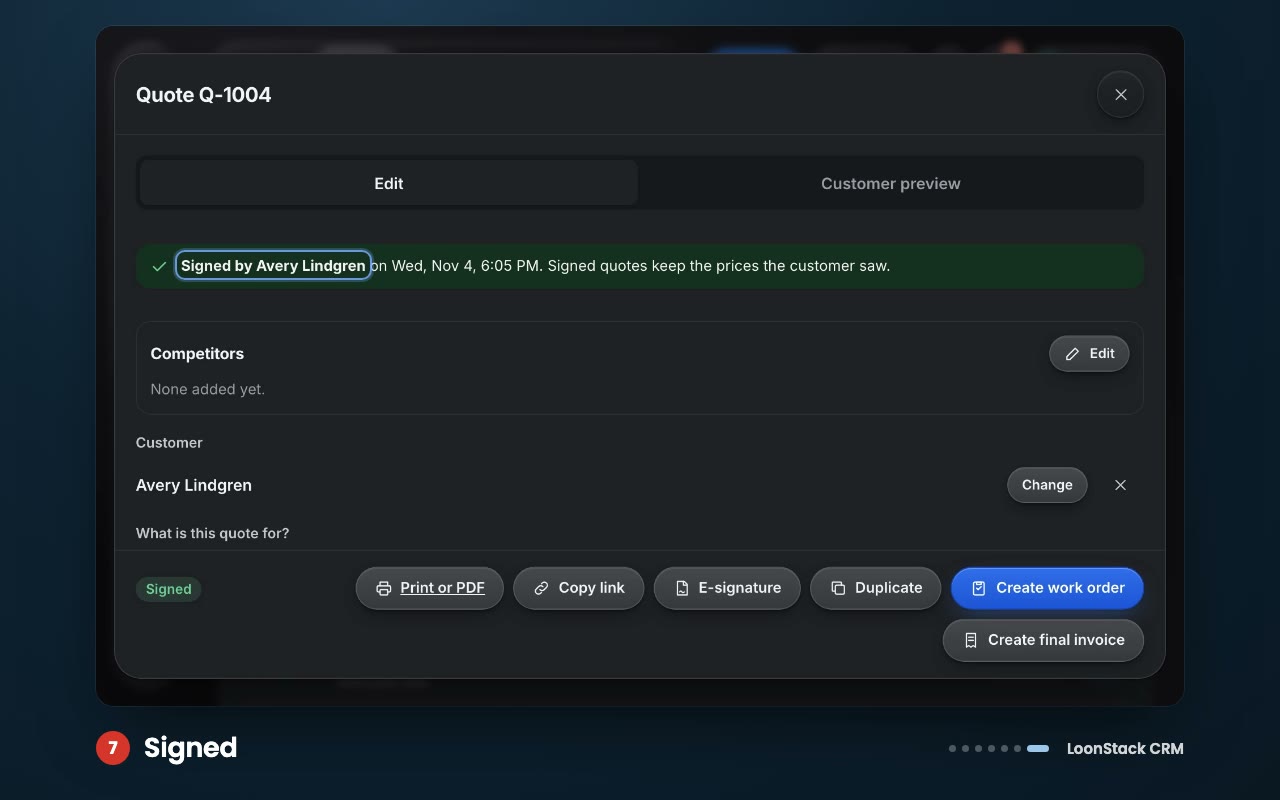 QuotesSend the quote as one link with exactly what the customer asked for. They type their name to sign, and the deposit invoice is made for them.See quotes
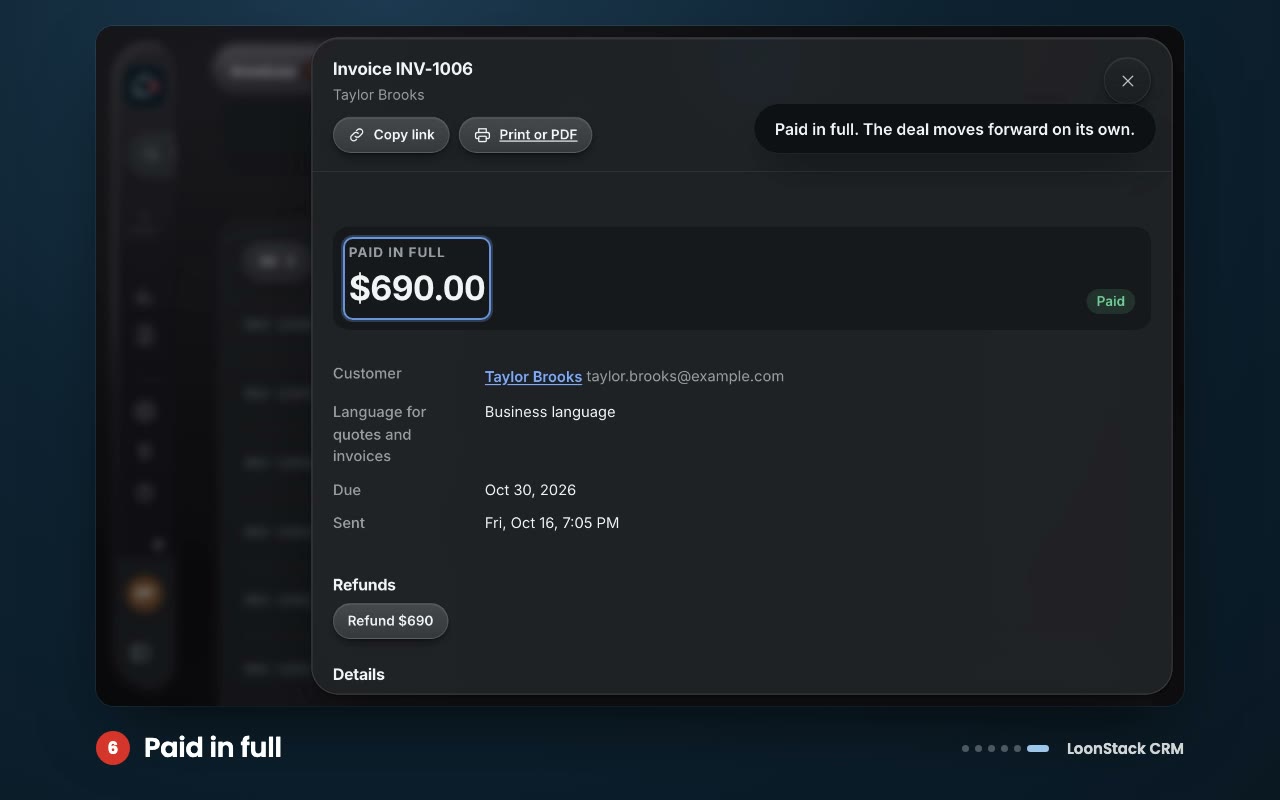 InvoicesTurn a signed quote into an invoice, send it with a pay button, and record cash and checks by hand. Late invoices sort themselves into aging buckets.See invoices
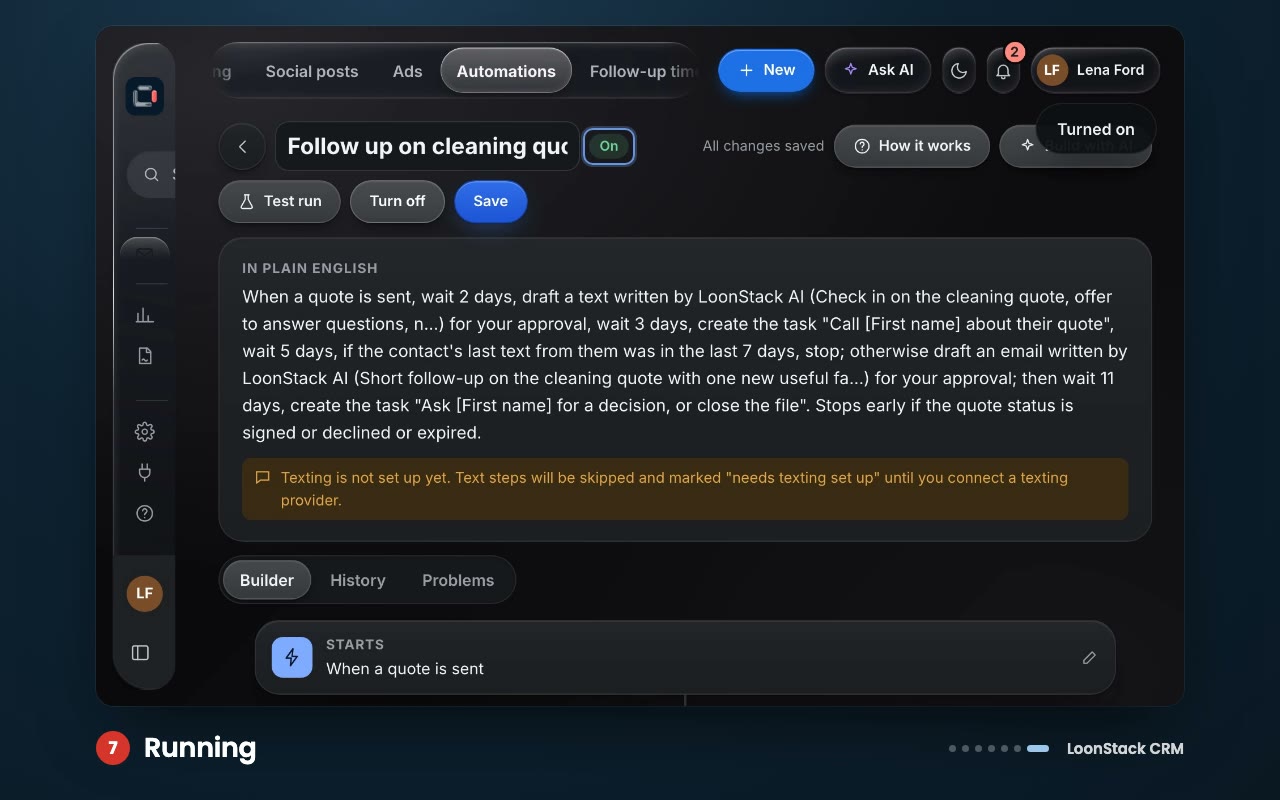 AutomationsStart from a ready-made recipe or build your own with waits, checks, emails, texts and tasks. Test it on a sample contact first. Nothing runs until you turn it on.See automations