Setup guide

Set up in about 10 minutes, on your own

After checkout your CRM is created automatically and the owner gets a sign-in link. The setup guide opens the first time you sign in and walks through nine steps, each one skippable.

30-day free trial. $0 today, card required. Cancel before day 30 and you pay nothing.

Nine short steps

Setup guide in LoonStack CRM: Nine short steps. Sample data in LoonStack CRM.

What you can do with Setup guide

Nine short steps

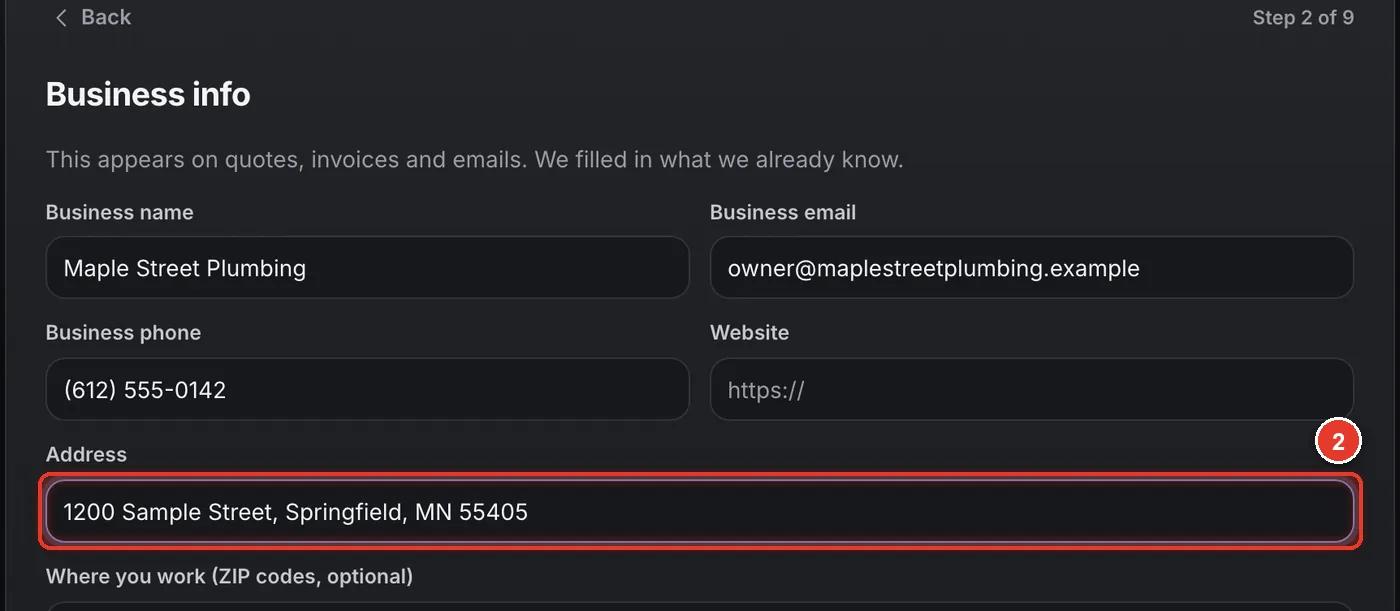
Business info, logo and colors, type of business, services and prices, import contacts, sending domain, get paid online, texting and invite your team. Use Skip for now on any step and finish it later.

  • About 10 minutes in total
  • Skip for now on any step
  • Everything can be changed in Settings

Your trade sets the starting point

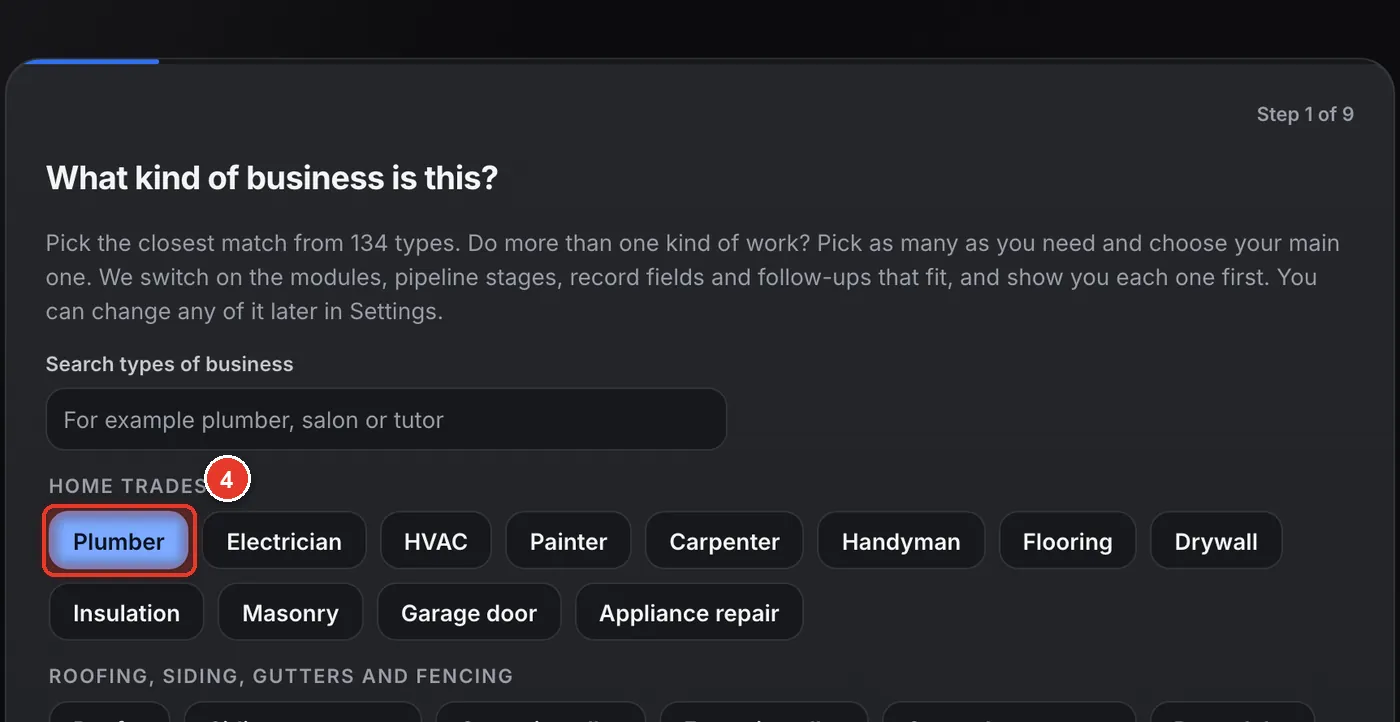
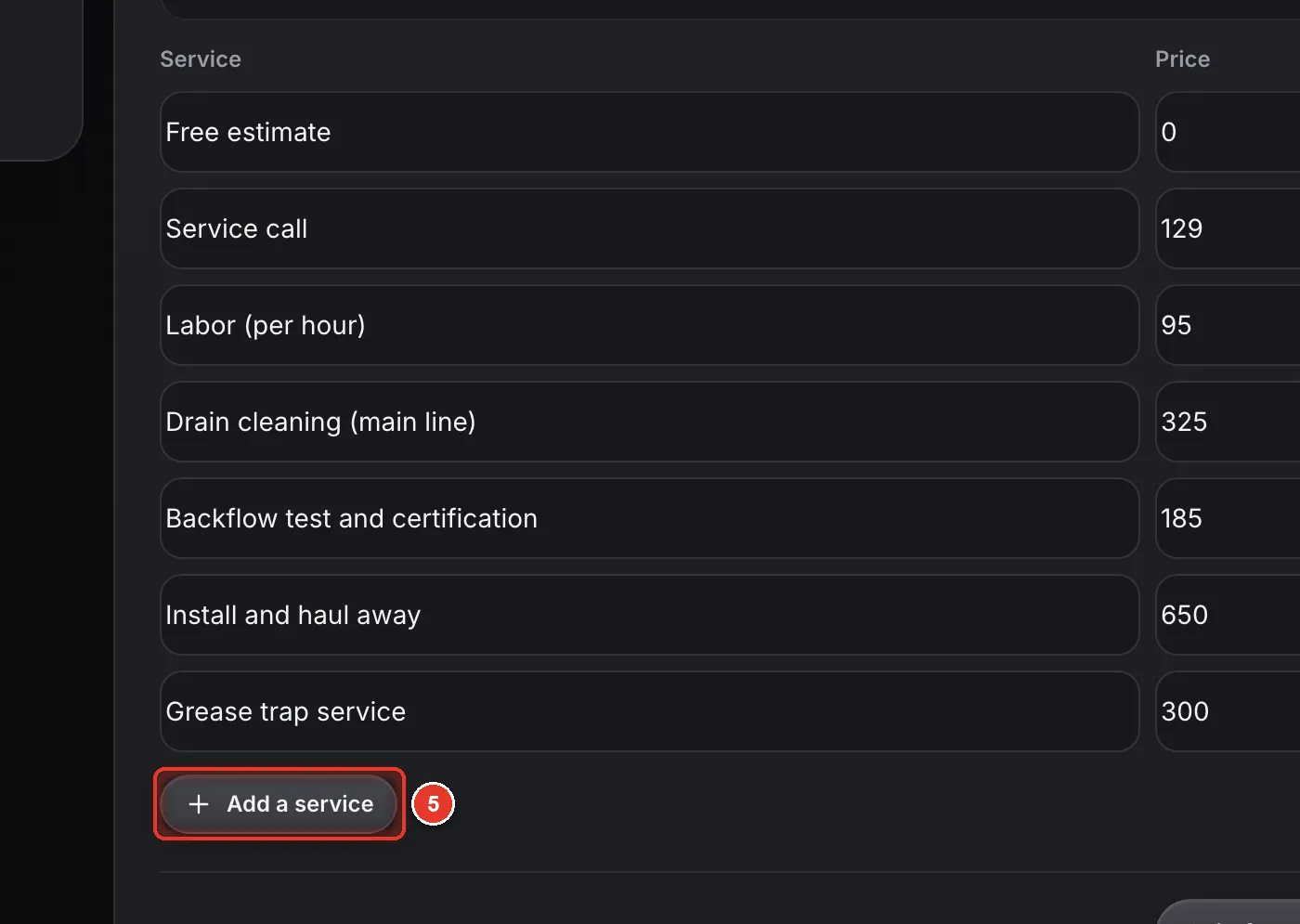
Pick your type of business and the setup suggests services and sets your pipeline stages while you have no deals yet. Change the names and prices to yours.

  • Suggested services
  • Pipeline stages for your trade
  • Your logo and colors on quotes and emails
Your trade sets the starting point. Sample data in LoonStack CRM.

No calls, no meetings

Nobody sets it up by hand and there is nothing to schedule. The how-to guide covers every part of the CRM step by step, and support answers by email, usually within one business day.

  • Self-serve from start to finish
  • How-to guide with the real button names
  • Written answers from [email protected]
No calls, no meetings. Sample data in LoonStack CRM.

See it in action

Setup guide, step by step, in screenshots of the real app with a made-up sample business. Use the buttons to move through it.

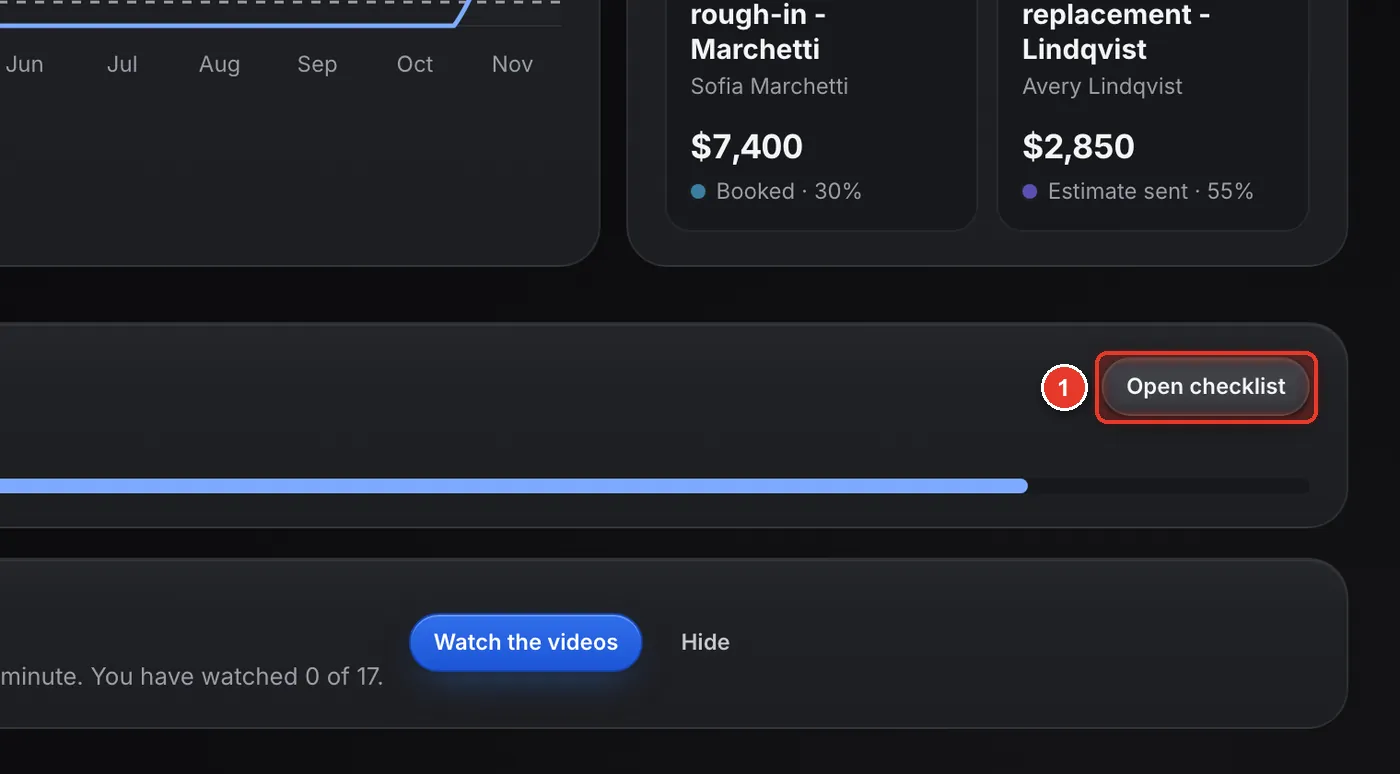
  1. Setup guide in the menu.
    Step 1 of 7 Setup guide in the menu.
  2. Business info.
    Step 2 of 7 Business info.
  3. Type of business.
    Step 3 of 7 Type of business.
  4. Services and prices.
    Step 4 of 7 Services and prices.
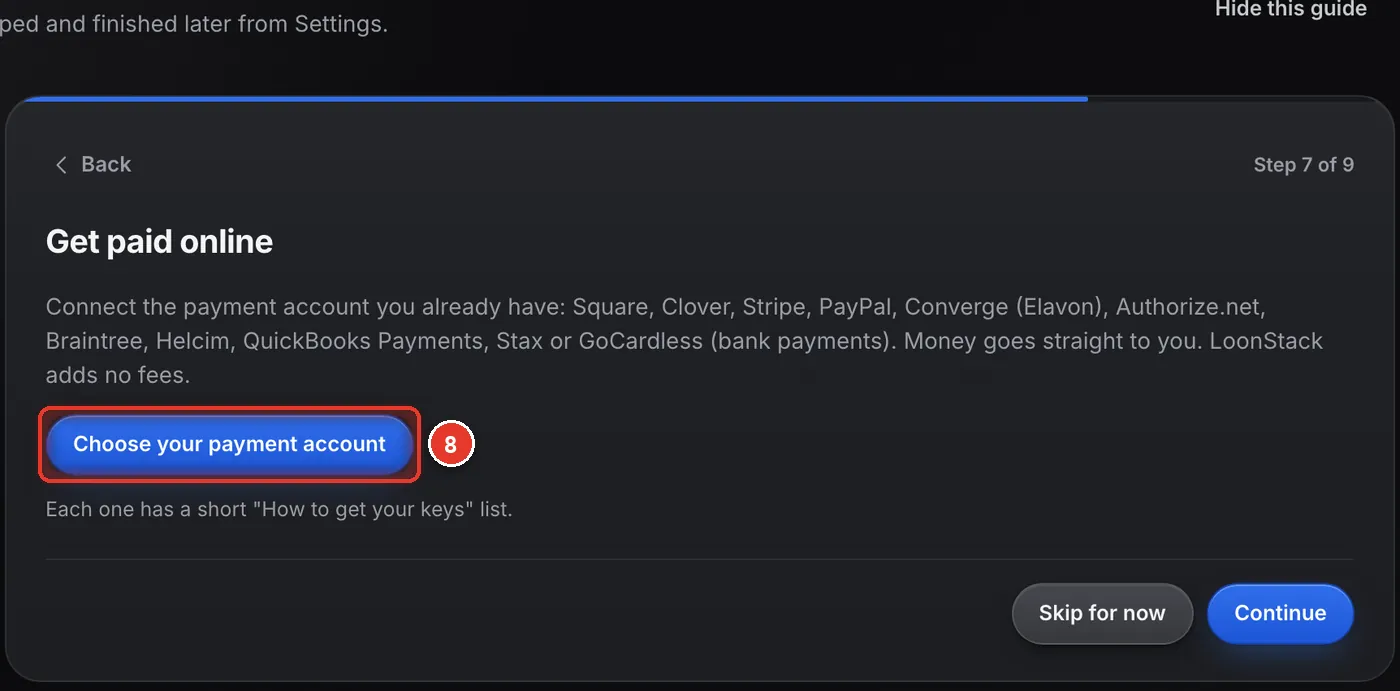
  5. Get paid online.
    Step 5 of 7 Get paid online.
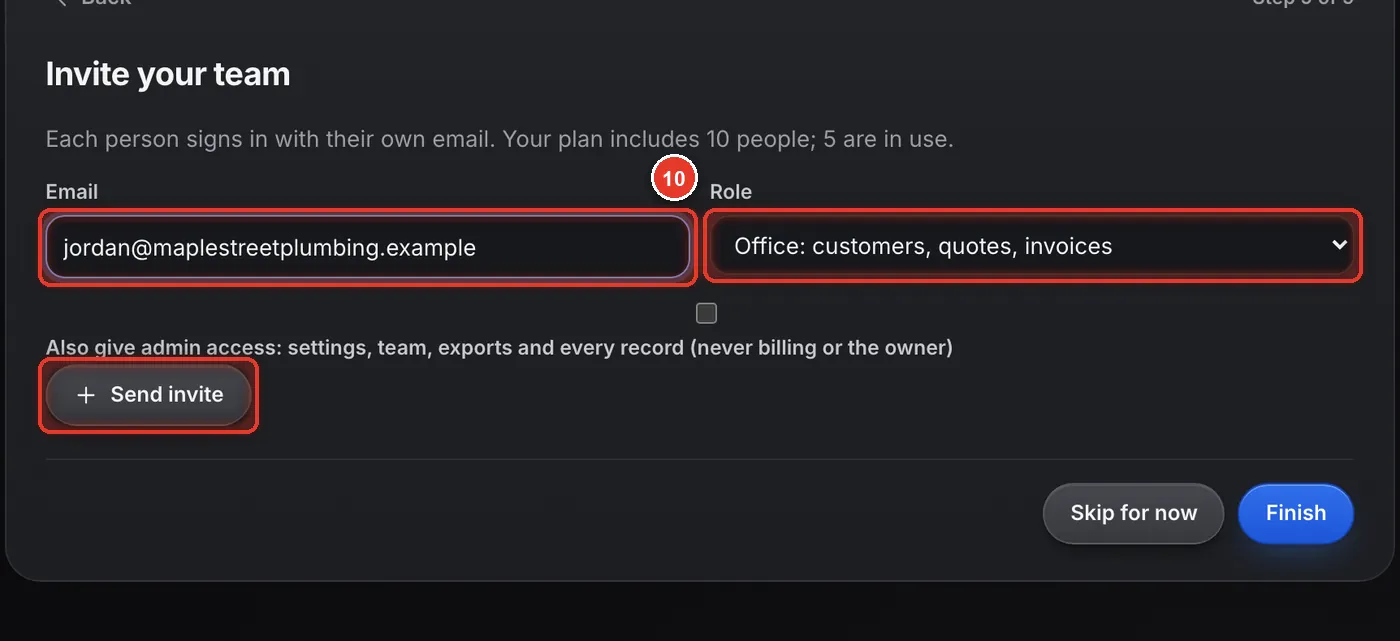
  6. Invite your team.
    Step 6 of 7 Invite your team.
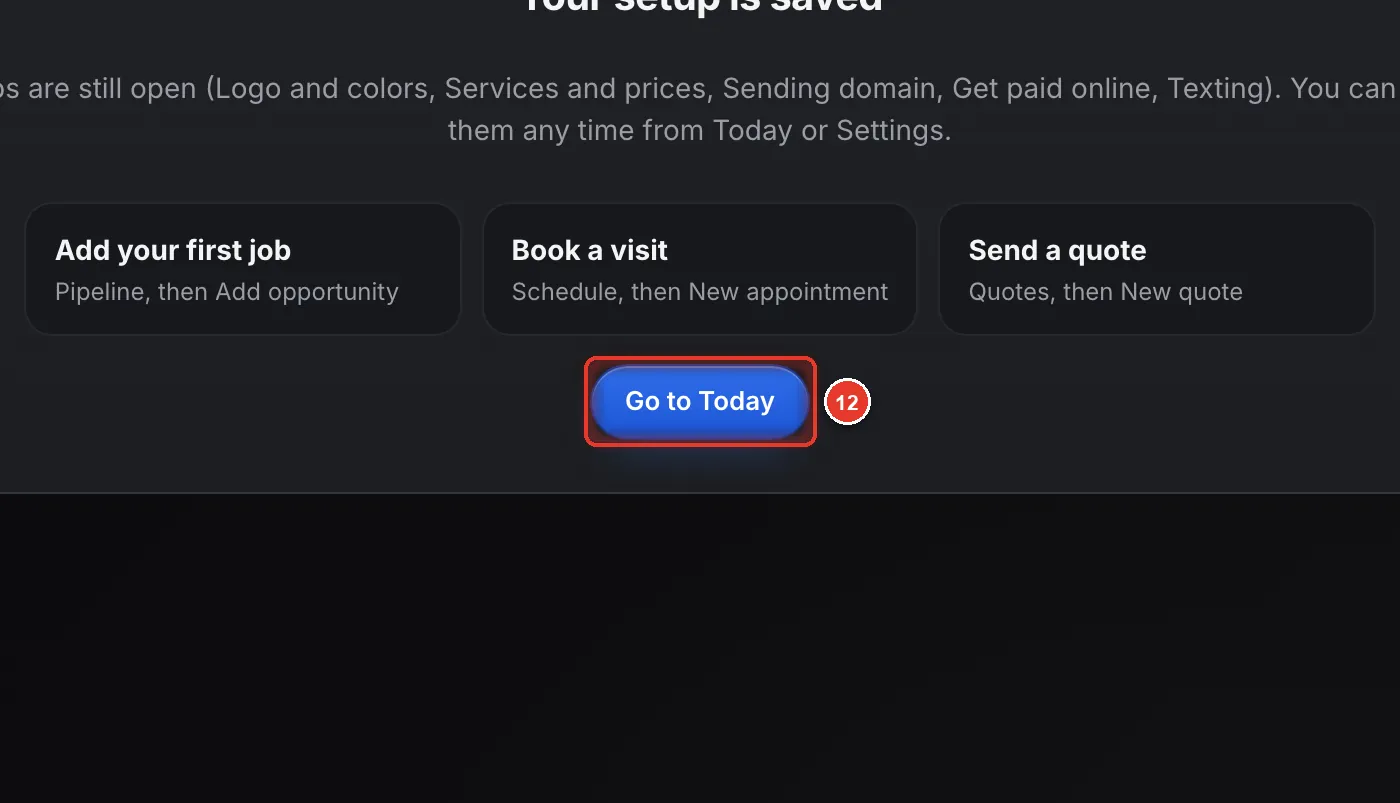
  7. You are set up. Go to Today.
    Step 7 of 7 You are set up. Go to Today.

Setup guide in the how-to guide, step by step

Why it helps

  • Running the same day

    About 10 minutes from sign-in to a working CRM.

  • At your own pace

    Skip any step and come back later.

  • Nothing to book

    No onboarding call, no setup fee.

Everything in Setup guide

Every plan includes every line below.

  • Training videos

    Short how-to videos, each under a minute, with English and Spanish captions. Do it now opens the matching screen so you can try it right away, and each person's progress is saved. 17 videos so far; the How-to guide covers the rest.

  • Nine steps

    From business info to inviting your team.

  • About 10 minutes

    Every step can be skipped.

  • Logo and colors

    Used on quotes, invoices and emails.

  • Trade presets

    Suggested services and pipeline stages.

  • Import contacts

    CSV, Excel or vCard.

  • Sending domain

    DNS records shown for you.

  • Get paid online

    Connect your payment account.

  • Texting

    Connect your provider.

  • Invite your team

    Email and role.

  • Done steps detected

    Steps already done elsewhere count as done.

Setup guide is in every plan

Plans differ only in how many people can sign in. Month to month, no setup fee.

LoonStack CRM Solo

30-day free trial

$69/month

1 user

Every feature included, Setup guide too.

Start free trial of Solo

$0 today. Card required. 30-day free trial, then $69 a month, renewing automatically until you cancel. Cancel before day 30 in Billing and you pay nothing. To add a second person, switch to Crew in Billing.

LoonStack CRM Crew

Best for teams of 2 to 10

$129/month

Up to 10 users

Every feature included, Setup guide too.

Start free trial of Crew

$0 today. Card required. 30-day free trial, then $129 a month, renewing automatically until you cancel. Cancel before day 30 in Billing and you pay nothing. We remind you 7, 3 and 1 day before the trial ends.

LoonStack CRM Company

30-day free trial

$199/month

Unlimited users

Every feature included, Setup guide too.

Start free trial of Company

$0 today. Card required. 30-day free trial, then $199 a month, renewing automatically until you cancel. Cancel before day 30 in Billing and you pay nothing. We remind you 7, 3 and 1 day before the trial ends.

Switch between Solo, Crew and Company anytime from Billing in the CRM. Full pricing, website bundles and terms

See Setup guide with your business in it

Every plan has every feature. 30-day free trial, $0 today. Cancel before day 30 and you pay nothing.

Questions first? Email [email protected] or request a call. A written reply usually comes within one business day.