Automations

Follow-ups that run on their own, the way you set them

Build follow-ups with waits, if/else checks, emails, texts, tasks and webhooks. Test them on a sample contact first. Nothing runs until you turn it on.

30-day free trial. $0 today, card required. Cancel before day 30 and you pay nothing.

Start from a template, or build your own

Automations in LoonStack CRM: Start from a template, or build your own. Sample data in LoonStack CRM.
28
automation templates
12
kinds of steps

What you can do with Automations

Start from a template, or build your own

Pick from 28 general templates in seven groups, like new leads, quotes and sales, invoices and payments, appointments, reviews and referrals, and plans and renewals, plus ready-made ones for your own industry (252 across 29 industries). Each becomes your own copy to change.

  • 28 templates in 7 groups
  • Quote follow-up until signed
  • New lead welcome, review requests and more

Steps for real work

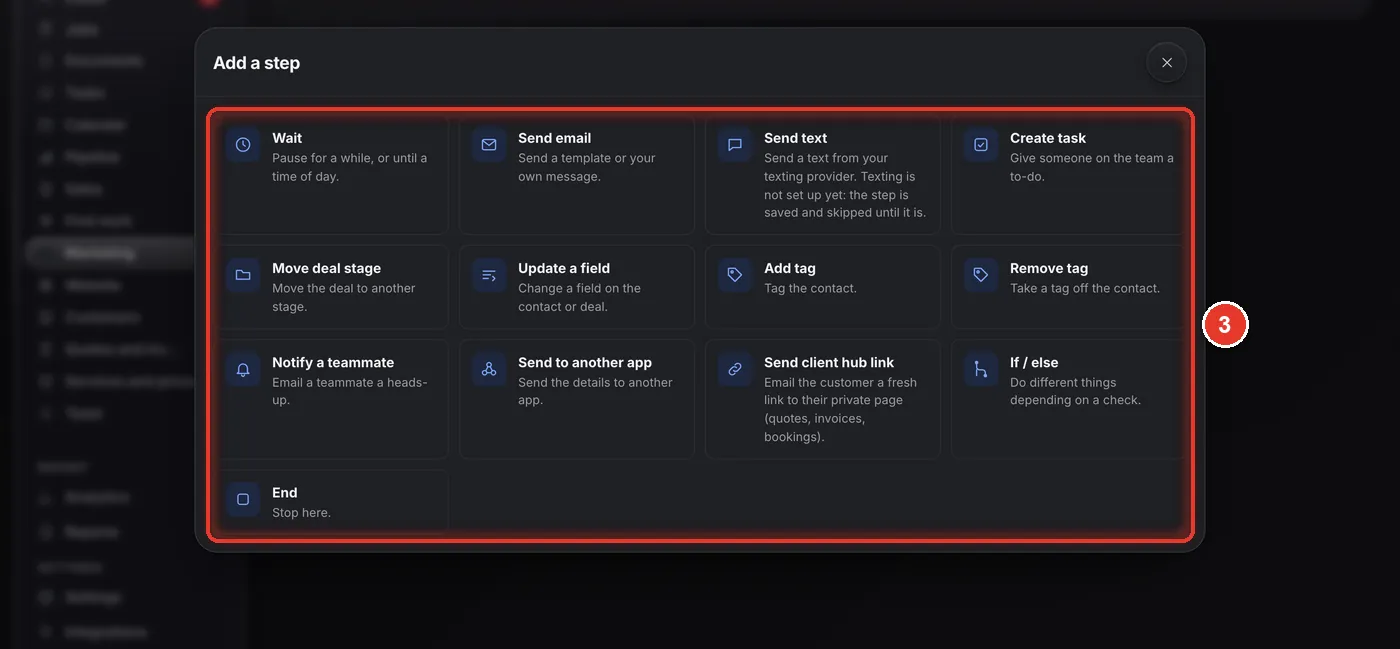
Wait, Send email, Send text, Create task, Move deal stage, Update a field, Add tag, Remove tag, Notify a teammate, Send to another app, If / else and End. Waits can be a length of time or until a time of day.

  • If / else with Yes and No paths
  • Goals stop an automation early
  • Send to Zapier or Make
Steps for real work. Sample data in LoonStack CRM.

Test before anything goes out

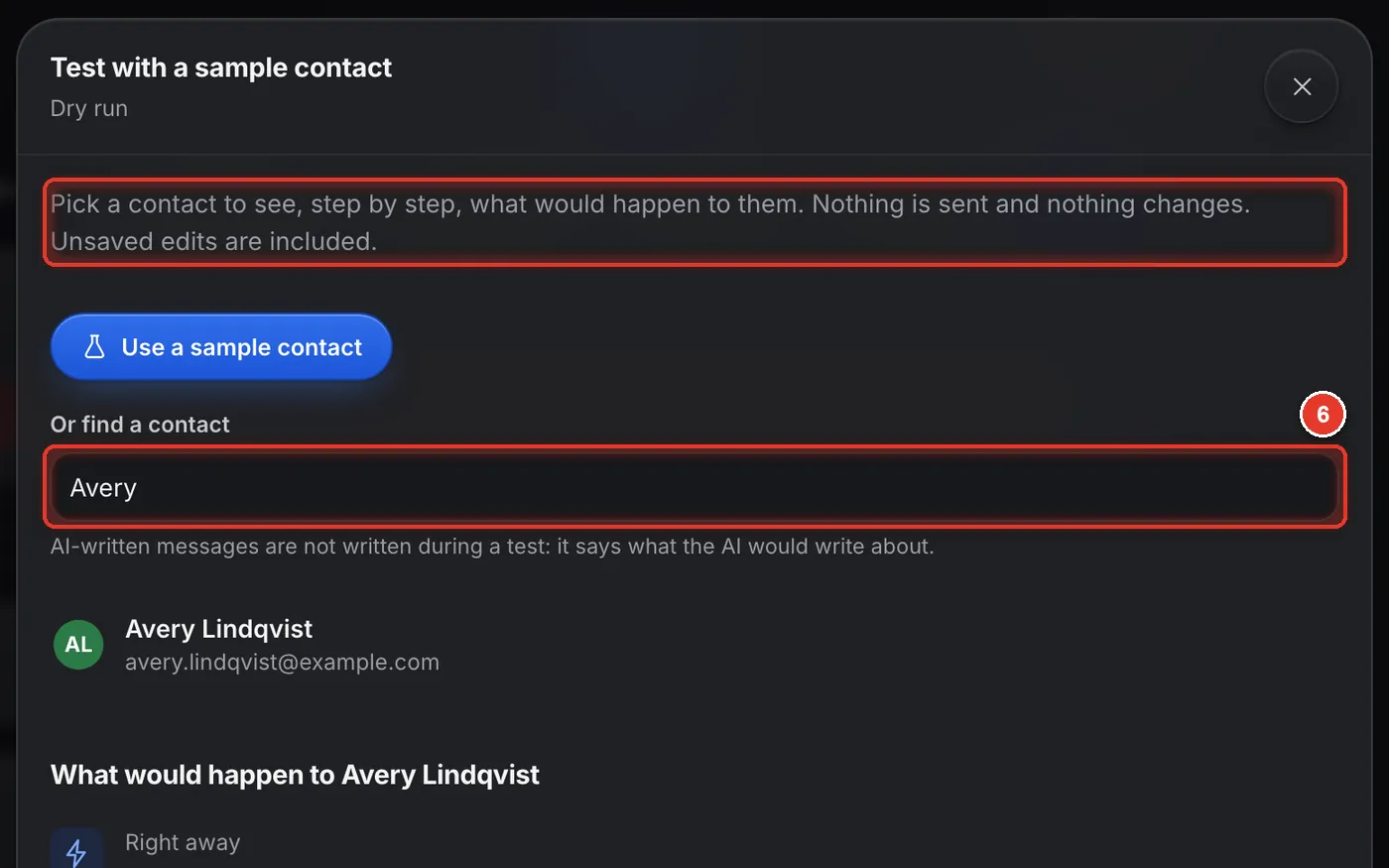
Choose Test run, pick a sample contact or find a real one, and read what would happen to them. Messages show that contact's real name, dates and times, and anything with no record behind it is shown as a labeled sample instead of raw placeholder text. A test never sends anything. Then Save and Turn on, and turn it off again any time.

  • What would happen, step by step
  • History of every run
  • Problems tab for anything that could not run
Test before anything goes out. Sample data in LoonStack CRM.

See it in action

Automations, step by step, in screenshots of the real app with a made-up sample business. Use the buttons to move through it.

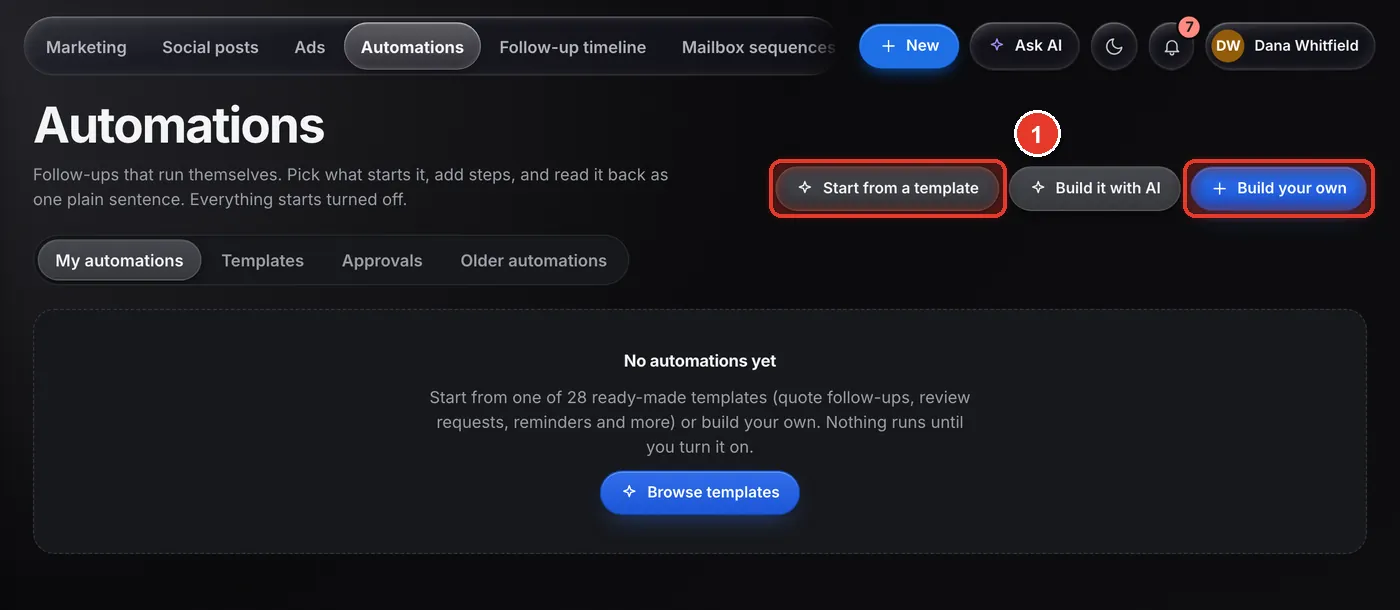
  1. Automations: Start from a template or Build your own.
    Step 1 of 6 Automations: Start from a template or Build your own.
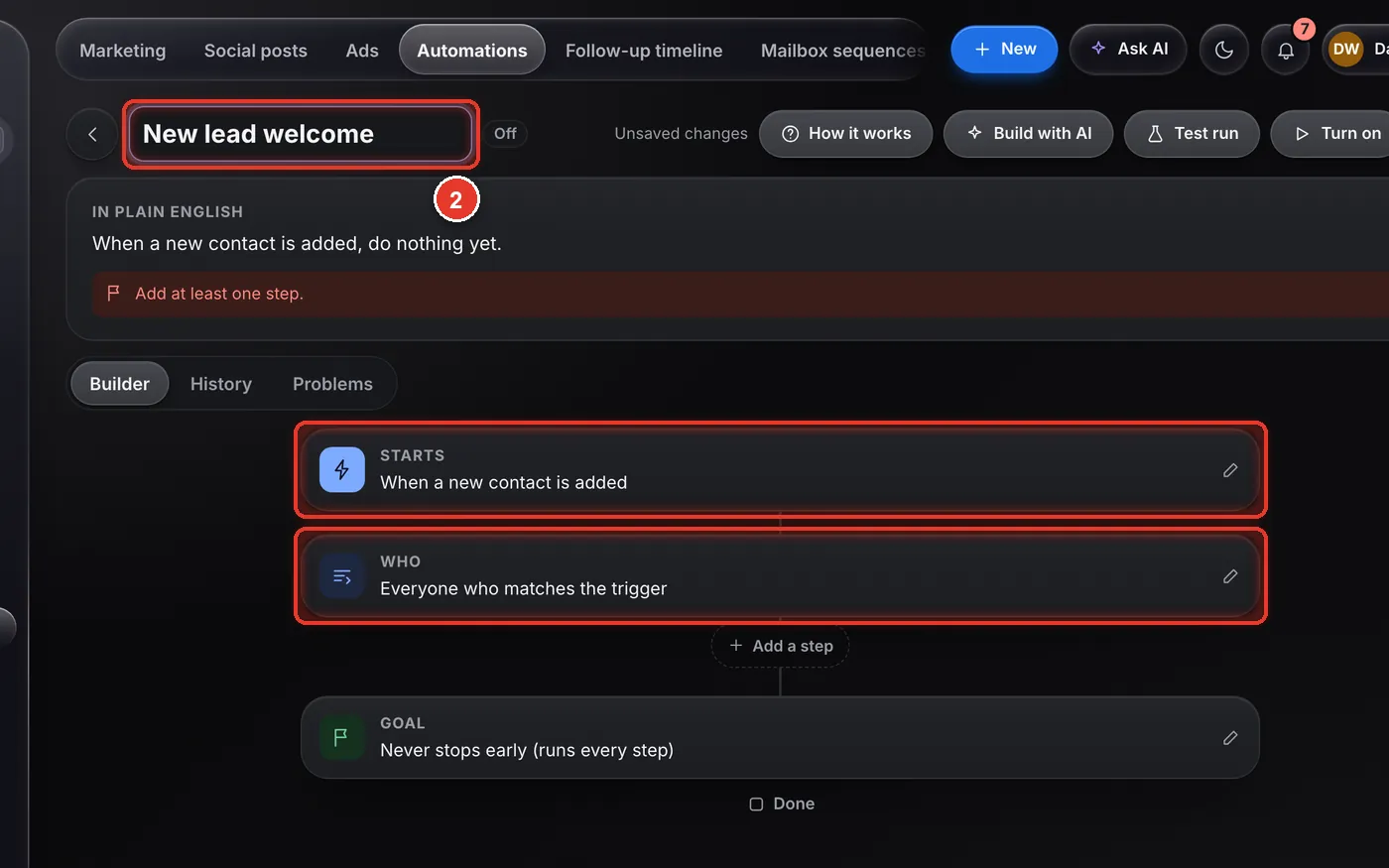
  2. Name, what starts it and who it is for.
    Step 2 of 6 Name, what starts it and who it is for.
  3. Add a step: 12 kinds of steps.
    Step 3 of 6 Add a step: 12 kinds of steps.
  4. Test with a sample contact. A test never sends anything.
    Step 4 of 6 Test with a sample contact. A test never sends anything.
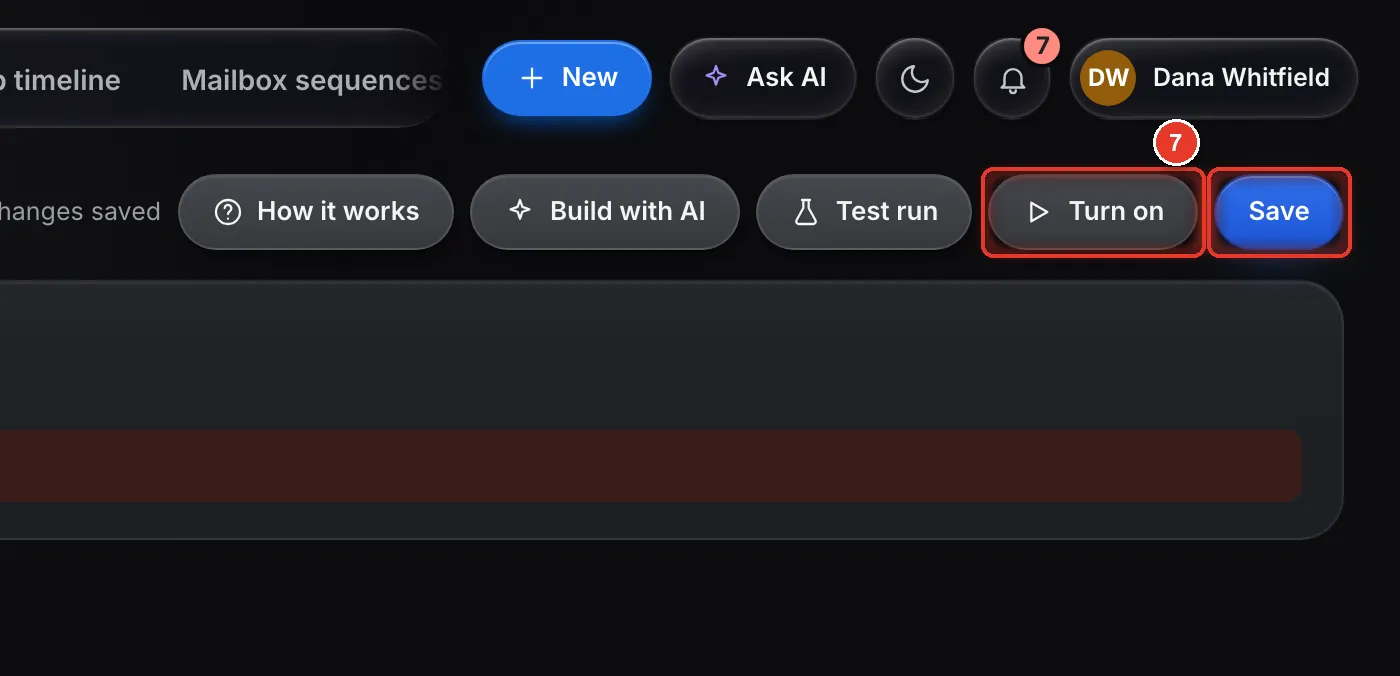
  5. Save, then Turn on.
    Step 5 of 6 Save, then Turn on.
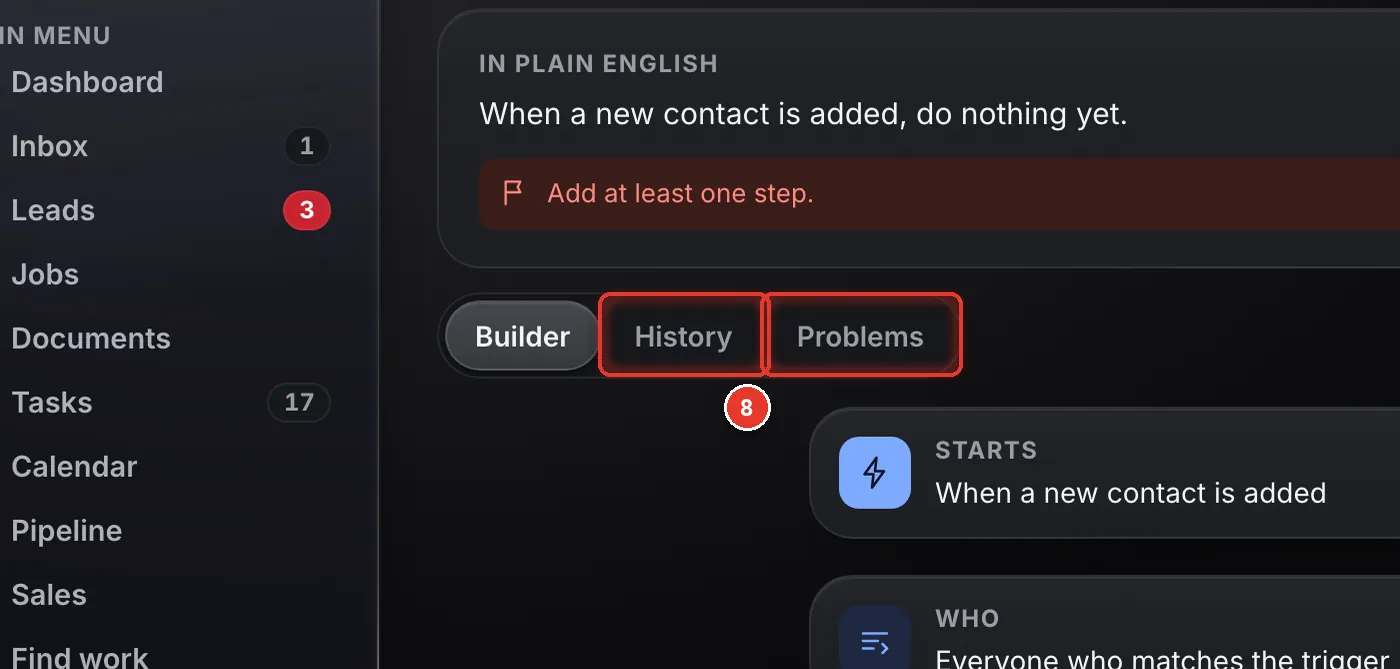
  6. History and Problems.
    Step 6 of 6 History and Problems.

Automations in the how-to guide, step by step

Why it helps

  • Consistent follow-up

    Every lead, quote and overdue invoice gets the same follow-up, every time.

  • You stay in control

    Nothing runs until you turn it on, and tests never send.

  • Connects outward

    Send to another app reaches Zapier, Make and webhooks.

Everything in Automations

Every plan includes every line below.

  • AI follow-up until booked

    When you turn it on, new leads get short follow-up texts or emails on your schedule, in business hours, until they book, say no or opt out. Anything with a price, date or promise is held and a safe message goes instead. Off to start.

  • More triggers

    Start an automation when a tech is on the way, a permit or HOA is approved, a customer views an invoice, a payment fails, a recall or pet vaccine is due, a trial starts or ends, on a quarterly schedule, or when a field changes, including your own custom fields. A Run automation button starts one now, and pet name is a merge field.

  • Ready-made for 29 industries

    261 ready-made automations across 29 industries, 8 to 10 for each, from roofing and HVAC to dental, salons, law and real estate. Each is copied as your own, turned off, and fully editable.

  • Messages written by LoonStack AI

    Text and email steps can be written fresh for each customer from a short brief, using the AI that is included. After a storm, a roofer's draft might read: "A storm just passed near you. Are you and your roof okay? We offer a free inspection with a photo report if you want one." Ready-made recipes that ask customers for something wait for your approval first.

  • Triggers for your trade

    An insurance claim changes status, an adjuster meeting is booked, a supplement is approved, a storm alert reaches a customer's ZIP code, a load is delivered, and "if they do not reply".

  • Approvals tab

    Choose "Hold for my approval" on a text or email step and the drafted message waits for you to edit and send it, or skip it.

  • Build it with AI

    Say what you want in your own words, such as "text them for a review two days after the job, and email if they do not reply." LoonStack AI drafts it, you read it back, and it is made turned off. Undo removes it.

  • Multi-step automations

    Triggers, conditions and steps.

  • 28 templates

    In 7 groups, each copied as your own.

  • Waits

    A length of time or until a time of day.

  • If / else

    Yes and No paths.

  • Send email

    From a template or your own words.

  • Send text

    Through your texting provider, in your sending hours.

  • Create task

    For anyone on the team.

  • Move deal stage

    And update a field or tag.

  • Notify a teammate

    In the bell and by email.

  • Send to another app

    Webhooks for Zapier, Make and more.

  • Goals

    Stop an automation early.

  • Test on a sample contact

    Never sends anything.

  • History and Problems

    Every run, and anything that could not run.

  • More triggers

    Start from a door knock result, a material order status, a work order getting a date or being moved, a job anniversary, or a click on a tracked link.

  • Visit reports on Done

    Send the visit report by email or text when a work order of a chosen type is done.

  • Lead emails

    Leads emailed by Angi, HomeAdvisor, Thumbtack, Yelp, Networx, Porch and Bark become contacts once you connect the app and your mailbox.

Automations is in every plan

Plans differ only in how many people can sign in. Month to month, no setup fee.

LoonStack CRM Solo

30-day free trial

$69/month

1 user

Every feature included, Automations too.

Start free trial of Solo

$0 today. Card required. 30-day free trial, then $69 a month, renewing automatically until you cancel. Cancel before day 30 in Billing and you pay nothing. To add a second person, switch to Crew in Billing.

LoonStack CRM Crew

Best for teams of 2 to 10

$129/month

Up to 10 users

Every feature included, Automations too.

Start free trial of Crew

$0 today. Card required. 30-day free trial, then $129 a month, renewing automatically until you cancel. Cancel before day 30 in Billing and you pay nothing. We remind you 7, 3 and 1 day before the trial ends.

LoonStack CRM Company

30-day free trial

$199/month

Unlimited users

Every feature included, Automations too.

Start free trial of Company

$0 today. Card required. 30-day free trial, then $199 a month, renewing automatically until you cancel. Cancel before day 30 in Billing and you pay nothing. We remind you 7, 3 and 1 day before the trial ends.

Switch between Solo, Crew and Company anytime from Billing in the CRM. Full pricing, website bundles and terms

See Automations with your business in it

Every plan has every feature. 30-day free trial, $0 today. Cancel before day 30 and you pay nothing.

Questions first? Email [email protected] or request a call. A written reply usually comes within one business day.