

Cleaning CRM for cleaning companies. Cleaning teams, booked and paid.
Online booking, a time clock for your cleaners, automations that confirm and follow up, and invoices paid through your own processor.
Watch it work
Hours your payroll service can use.
Cleaners clock in and out on their phone. Approve the week and export it to CSV.
Your pipeline comes set up.
Pick House cleaner as your type of business when you sign up and LoonStack sets these stages, the follow-ups and the fields for you. Change any of it later.
- New lead
- Walkthrough booked
- Walkthrough done
- Proposal sent
- Follow-up
- Signed
- First clean done
- Lost
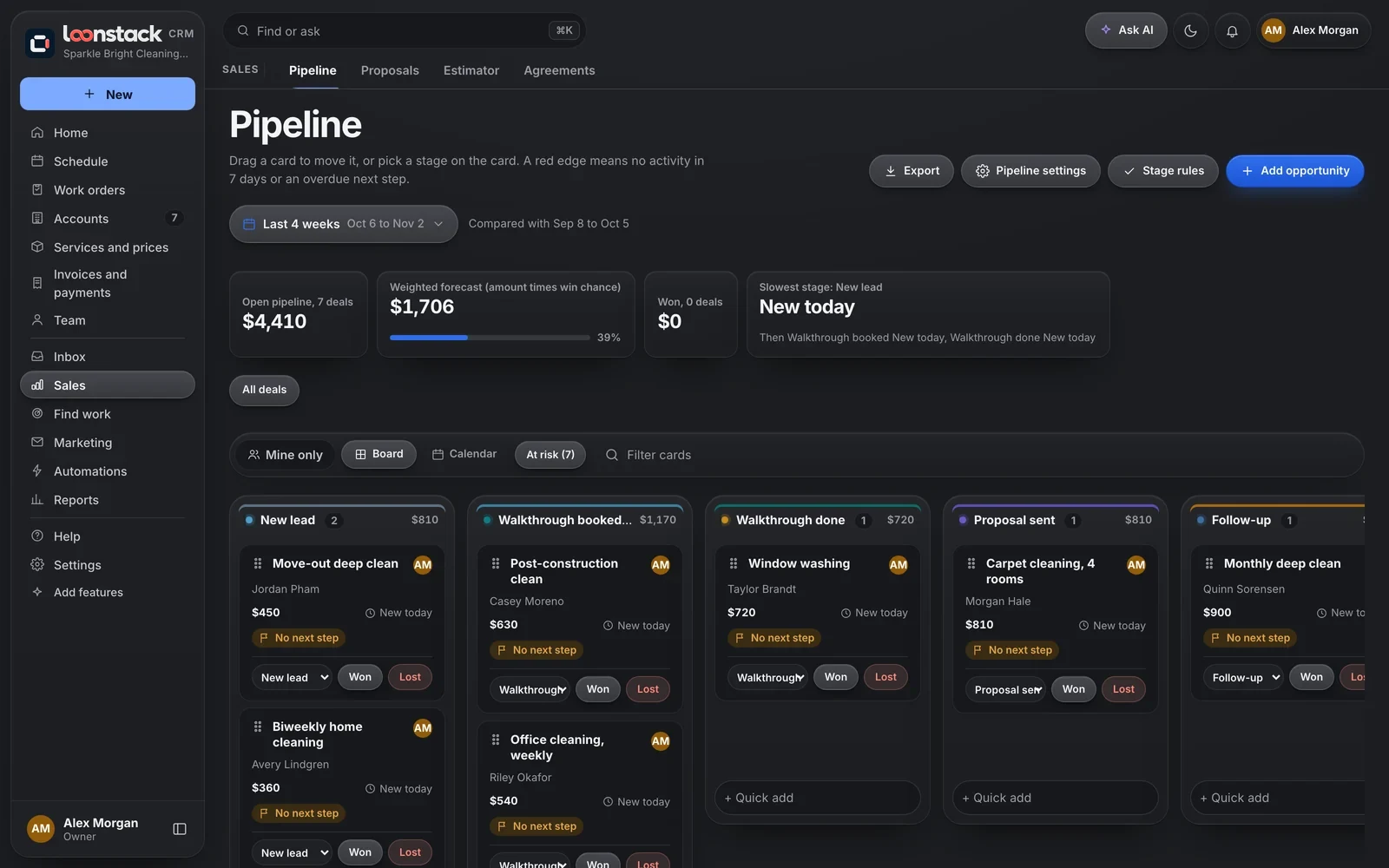
A screenshot of the real app with a sample business, Sparkle Bright Cleaning (sample).
Your workflows.
Each card opens a recording of the real app doing that job.
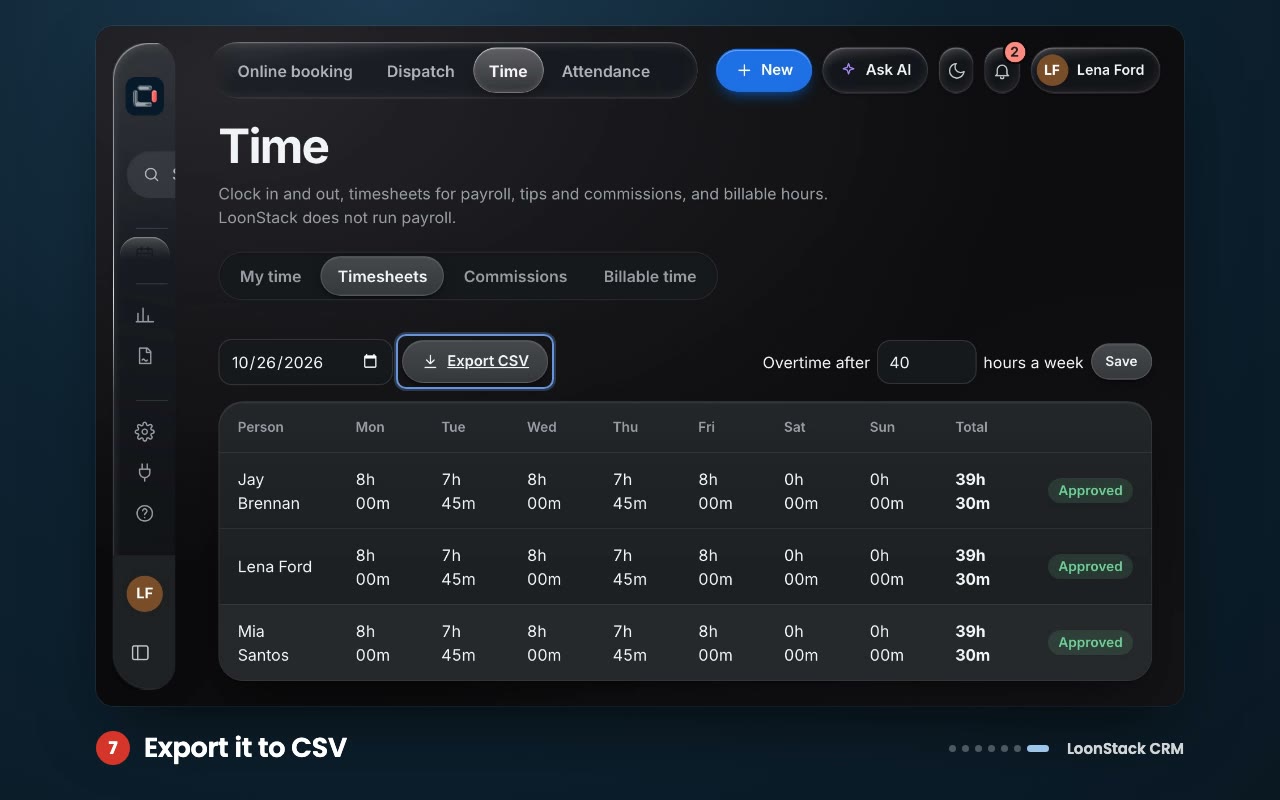 Time clockClock in, breaks and weekly timesheets for payroll.Watch it work
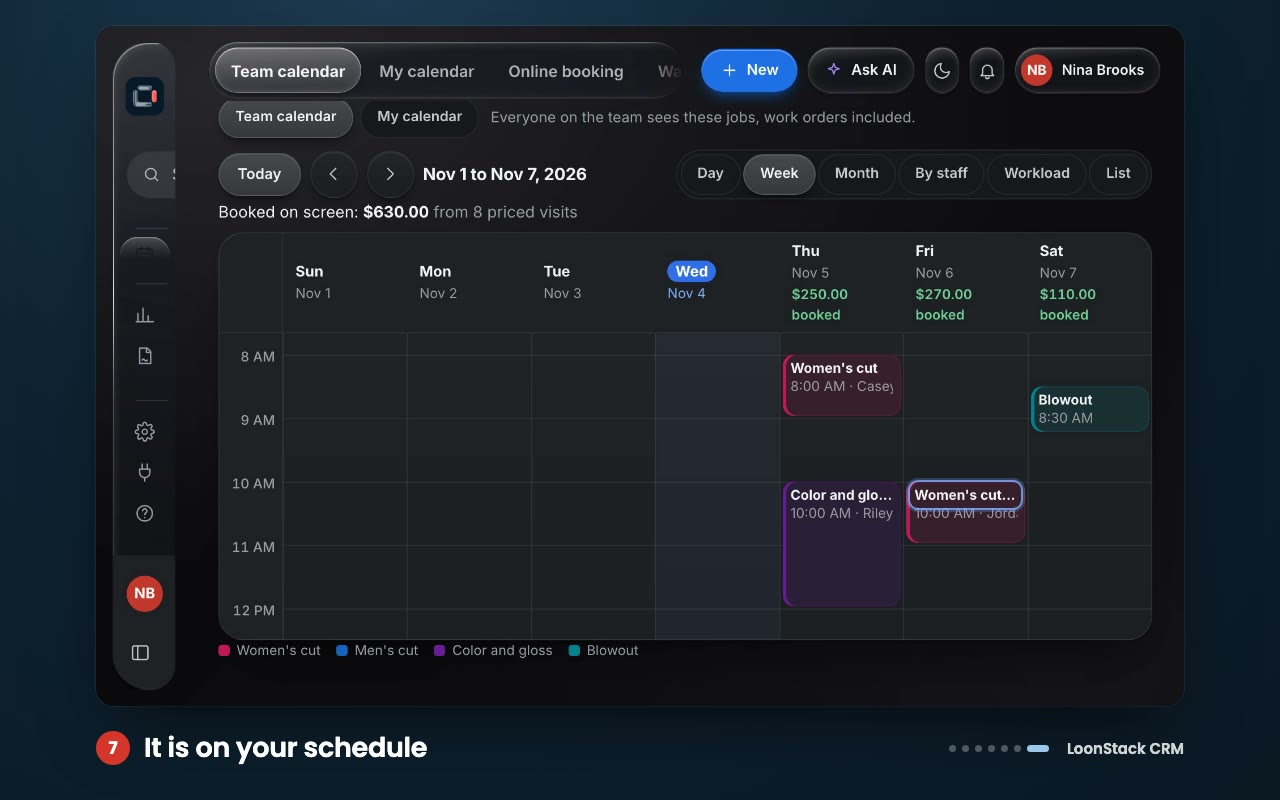 Scheduling and bookingCustomers book open times; reminders go out for you.Watch it work
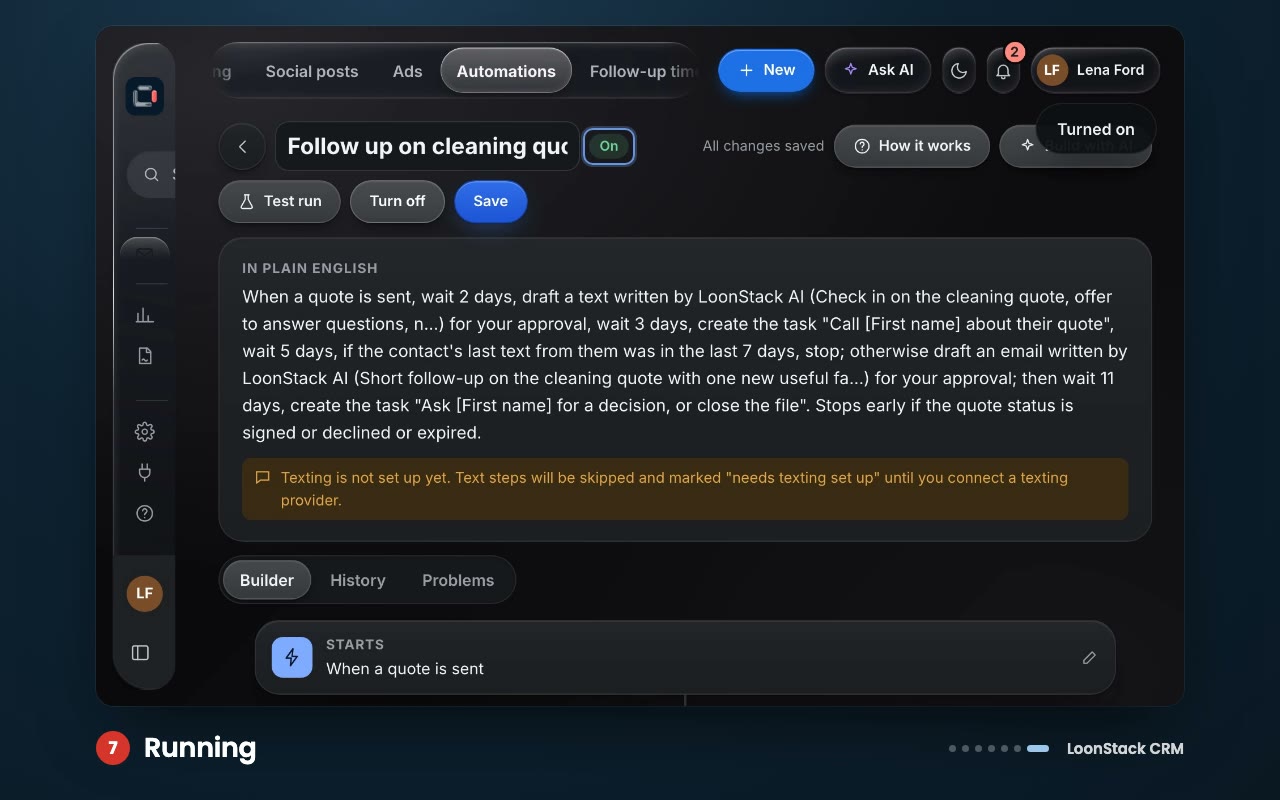 AutomationsConfirmations, post-visit check-ins and review requests.Watch it work
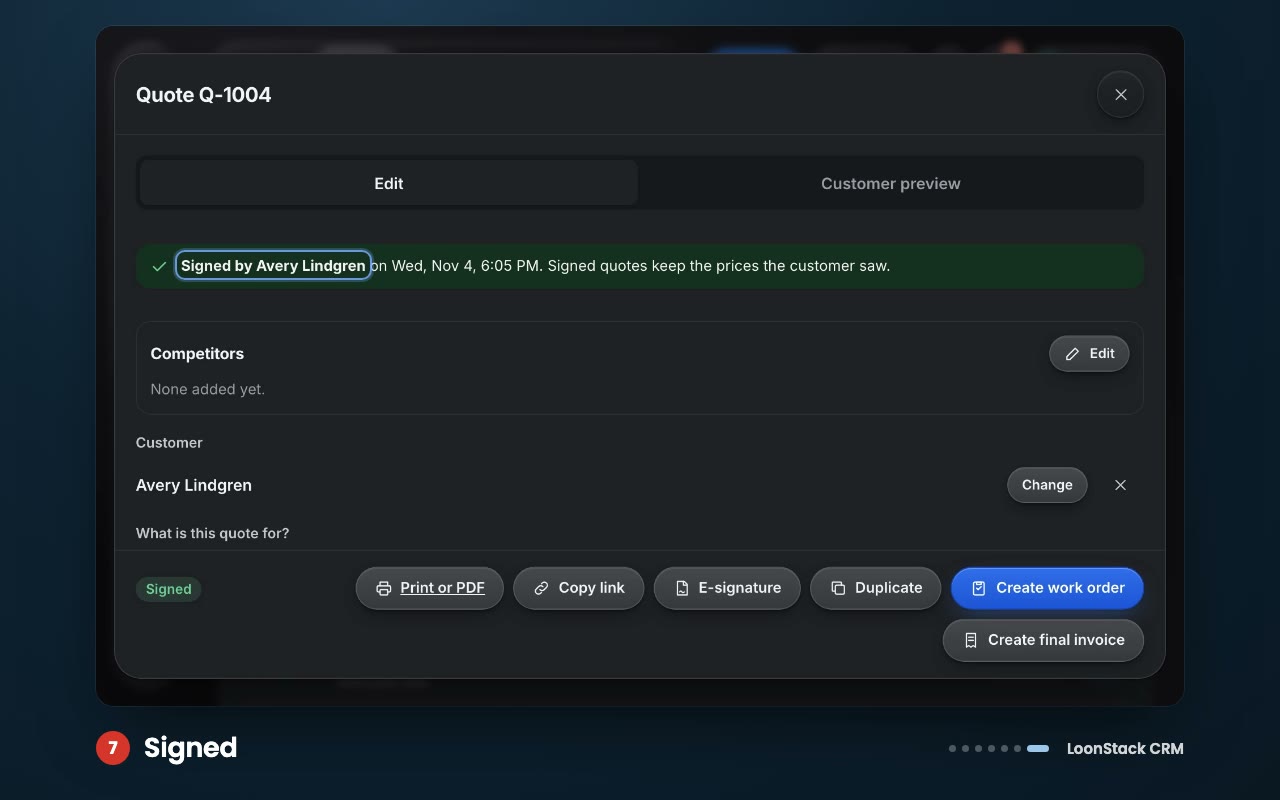 QuotesA first deep clean, then recurring visits.Watch it work
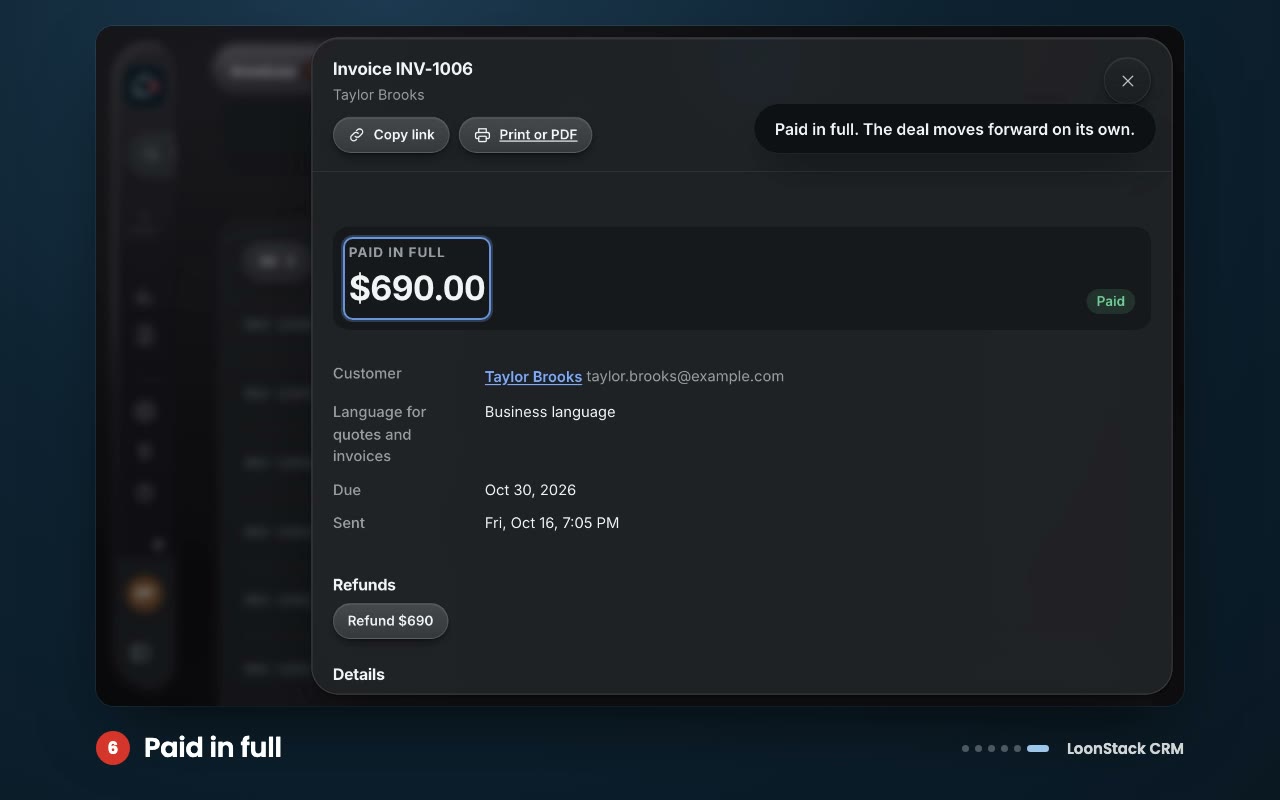 InvoicesInvoices with a pay button.Watch it work
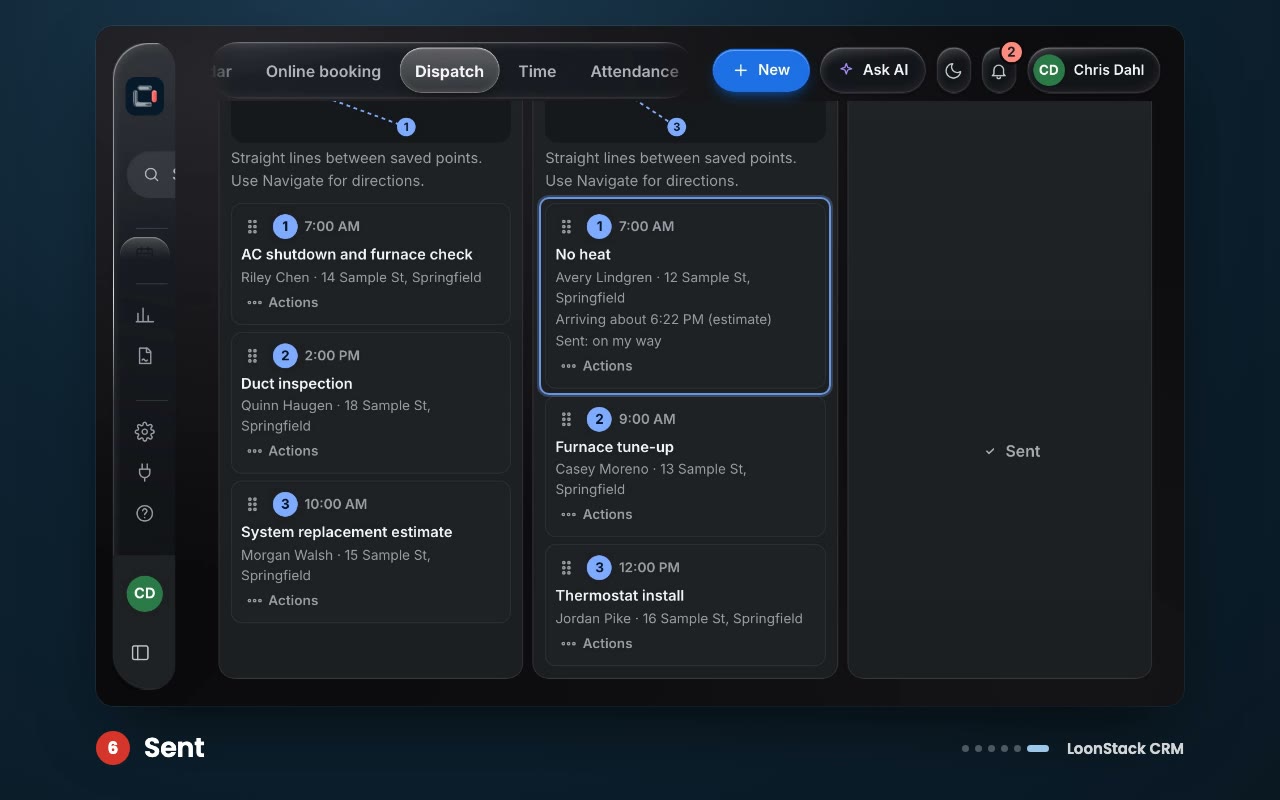 DispatchTeams in columns for the day.Watch it work
Built in for cleaning teams.
Here is what is ready for cleaning teams the day you sign up, on every plan. Each card links to the steps.
Set up for you
- Skill tags and a Suggest button on dispatchTag your people and job types with skills and areas. The Assign list puts people who match first, and Suggest ranks up to three by skills, who is free and how far they are from their last job. It only suggests. You choose who gets the job.
- A live "your tech is on the way" pageWhen your tech taps On my way, the text to the customer carries a private link. The page shows the tech’s first name and photo, a map with the road route and an arrival time, and nothing else about your day. The position is shared only between On my way and Arrived, only the latest spot is kept, and the link ends a day after the job is done. After the visit the customer can rate it. It is on for businesses that go to the customer’s door, and you can turn it on or off in Settings.
- An on-site card for cleanersDoor codes and key notes stay hidden from the cleaner until the day of the job. Check in and check out on site fill in the work order's time and place; if GPS fails, the cleaner can still start and finish the job.
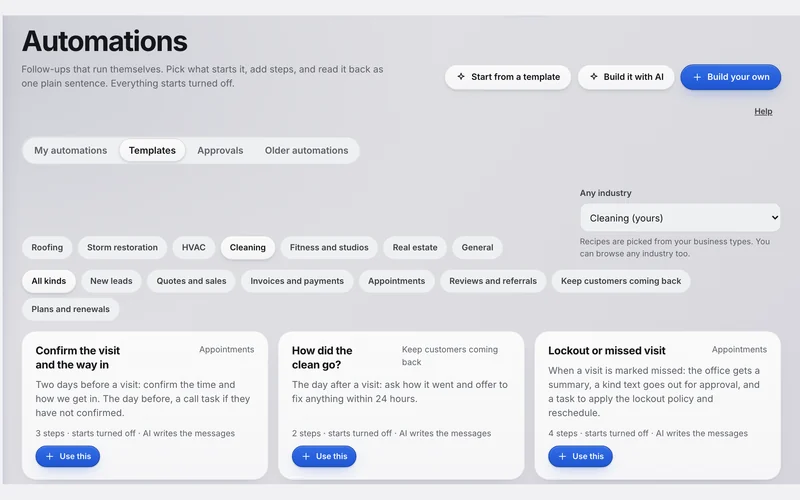 Follow-ups written for cleaning teamsReady-made automations like "Confirm the visit and the way in", "How did the clean go?" and "Turn a first clean into a regular one". Copy one, change the words, turn it on. They all start turned off.
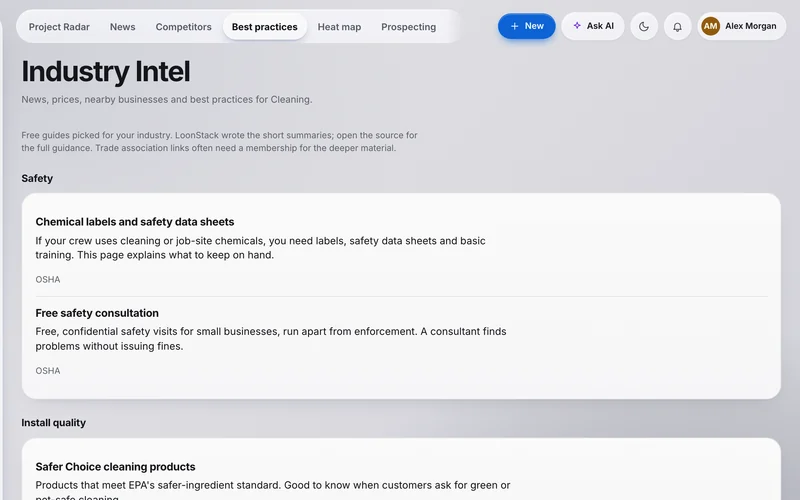 Guides and news for your tradeIndustry Intel picks free guides for cleaning teams, like Chemical labels and safety data sheets (OSHA) and Free safety consultation (OSHA), each with a short summary, plus trade headlines.
Pictures are from the real app with made-up sample businesses and addresses.
How LoonStack fits cleaning companies.
Four things that cost cleaning companies money or customers, and what fixes each one. Every feature is on every plan.
Quotes that match what they asked for
The problem. A client asks for a deep clean of three bathrooms and the kitchen, and the price you gave over the phone is not written down.
How we fix it. On the quote, list the rooms, the type of clean and the price per visit. Send it as one link, and the customer signs on their phone and pays a deposit if you ask for one.
What changes. The customer sees exactly what they agreed to, and you stop re-sending revised quotes.
E-signatures are built in
The problem. Service agreements and recurring-clean terms used to mean printing, scanning or paying for a separate e-signature tool.
How we fix it. Send them for signature inside LoonStack. A typed or drawn signature is saved with the time, and the signed copy never changes. You do not need DocuSign or a tool like it.
What changes. One less subscription, and every signed copy sits on the customer's record.
One platform instead of a stack of subscriptions
The problem. You pay for a booking tool, an invoicing app, a texting app and an e-signature tool, and none of them know what the others know.
How we fix it. LoonStack covers customers, quotes, booking, texting, invoices, e-signatures and follow-ups in one app, from $69 a month with every feature on every plan.
What changes. One bill, one place to look, and the details stop disagreeing.
Missed calls go to the next company
The problem. You are inside a client's home when the phone rings, and the new lead books the next cleaning company.
How we fix it. Turn on the AI receptionist and a missed call gets a text back right away. Website chats and texts get an answer on the channels you choose, and every new contact lands in your pipeline with a next step.
What changes. The caller gets an answer, and the lead is still yours.
Switching from other software?
Today you can bring your contacts from a CSV, Excel or vCard file. You can import your full history too: customers, jobs, appointments, invoices and notes. See the export steps for your old software.
Business types on this page: House cleaner, Janitorial, Carpet cleaning, Maid service, Move-out cleaning, Pressure washing, Window cleaning.
Questions about the Cleaning CRM
What does LoonStack set up for cleaning?
Pick House cleaner as your type of business when you sign up. LoonStack sets the pipeline stages (New lead, Walkthrough booked, Walkthrough done, Proposal sent, Follow-up, Signed, First clean done, Lost), the fields and the follow-ups for you. You can change any of it later.
Which features do cleaning companies use most?
Time clock: Clock in, breaks and weekly timesheets for payroll. Scheduling and booking: Customers book open times; reminders go out for you. Automations: Confirmations, post-visit check-ins and review requests. Quotes: A first deep clean, then recurring visits. Every feature is on every plan.
How much does the Cleaning CRM cost?
Solo is $69 a month for 1 user, Crew is $129 a month for up to 10 users and Company is $199 a month with no user limit. Paying yearly takes $10 off each month. Every feature is on every plan, there is no contract, and the first 30 days are free.
Can I bring my customers from my old software?
Today you can bring your contacts from a CSV, Excel or vCard file. You can import your full history too: customers, jobs, appointments, invoices and notes. Importing is free during the trial.
Other industries
Every business type gets every feature. See all industries.
Every feature, on every plan.
Every feature is on every plan. 30-day free trial: $0 today, card required, cancel in Billing before day 30 and you pay nothing. Prices may change with 30 days' notice.