

Pest control CRM for pest control companies. Routes, treatments and renewals.
Plan the day's stops on a dispatch board, text customers you are on the way, keep the product and EPA number on every treatment, and follow up on renewals without remembering to.
Watch it work
Every stop, in order.
Assign the day's treatments to each tech and get a suggested stop order. Navigate opens the phone's own maps app.
Your pipeline comes set up.
Pick Pest control as your type of business when you sign up and LoonStack sets these stages, the follow-ups and the fields for you. Change any of it later.
- New lead
- Estimate
- Active contract
- Seasonal pause
- Lost
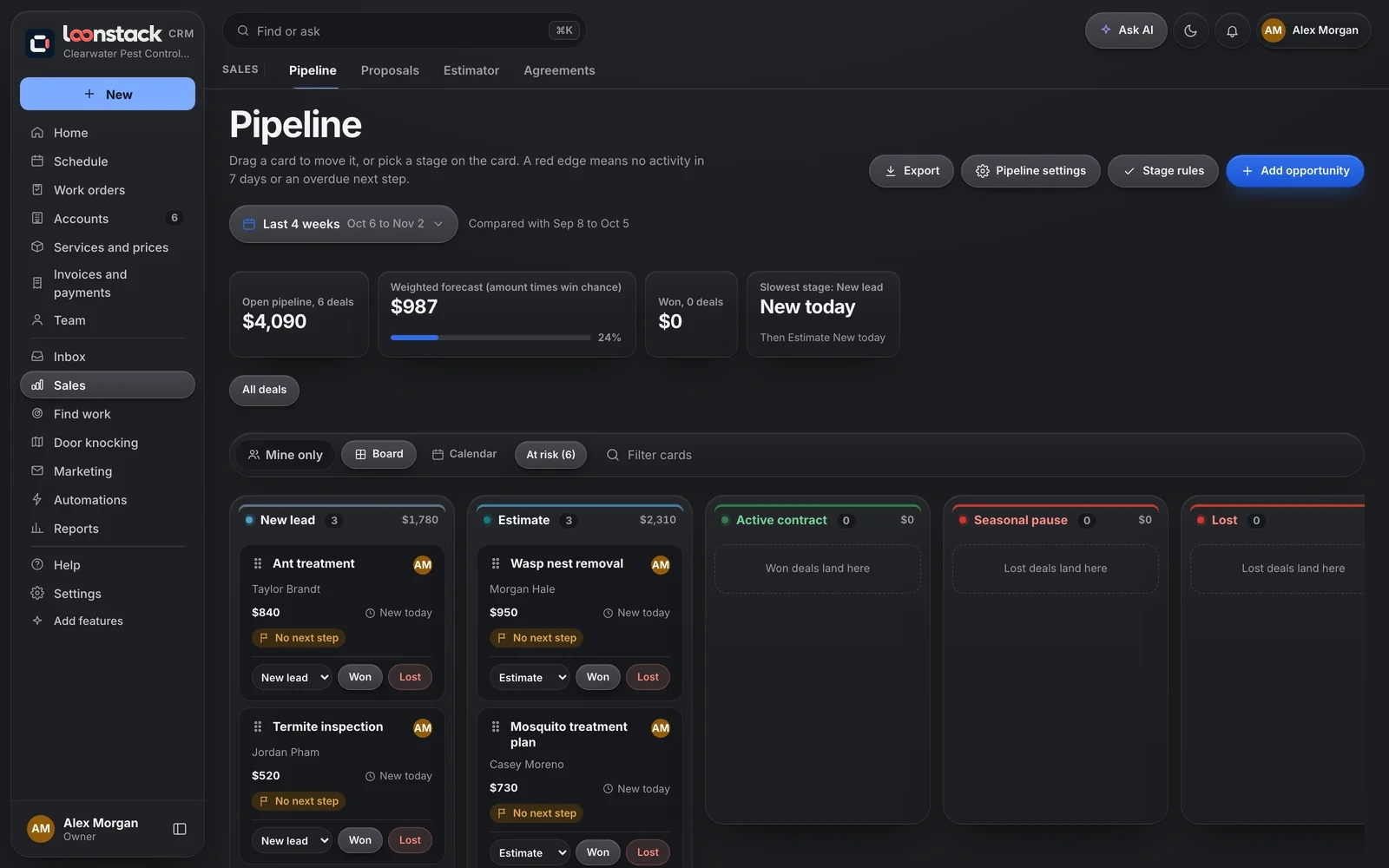
A screenshot of the real app with a sample business.
Your workflows.
Each card opens a recording of the real app doing that job.
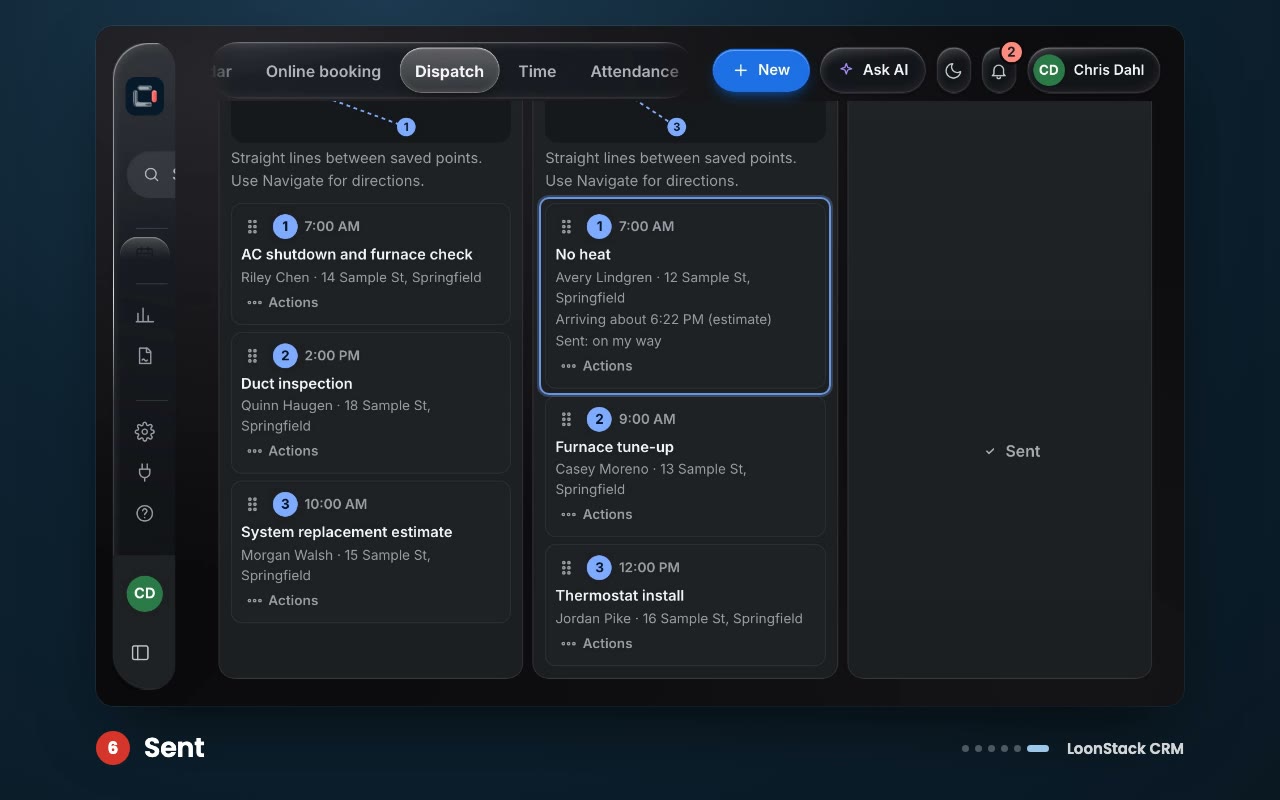 DispatchA column per tech and a suggested stop order.Watch it work
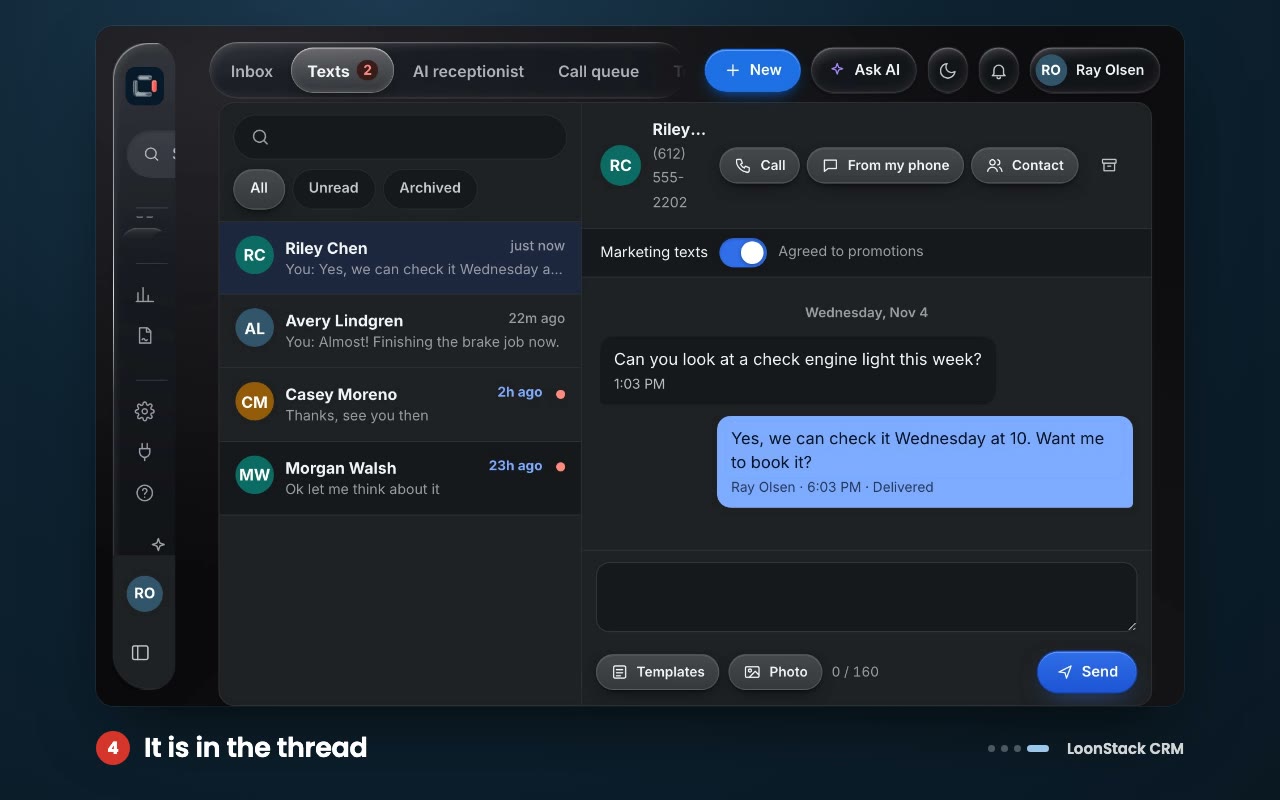 TextingOn my way, arrived and done texts from your own number.Watch it work
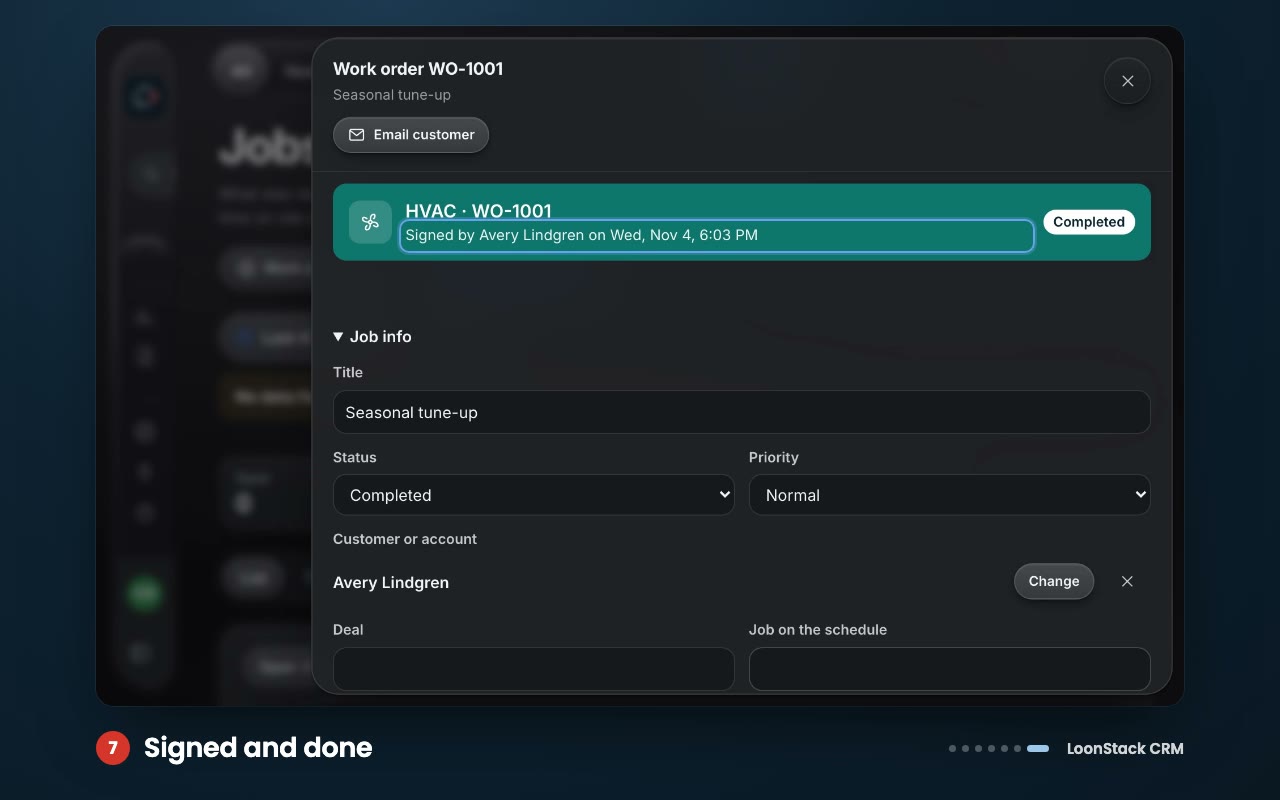 Work orders and change ordersA treatment record with the target pest, areas, product, EPA number and re-treat date.Watch it work
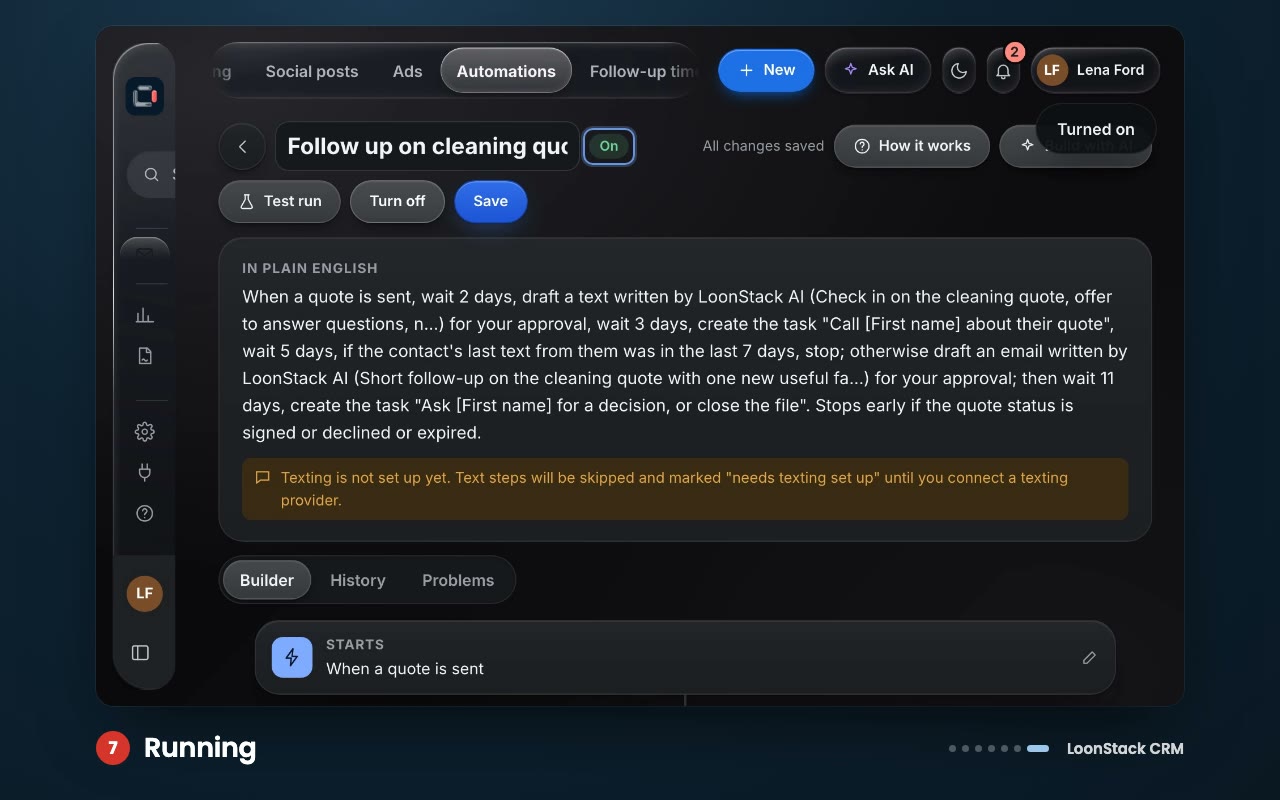 AutomationsRenewal and seasonal follow-ups.Watch it work
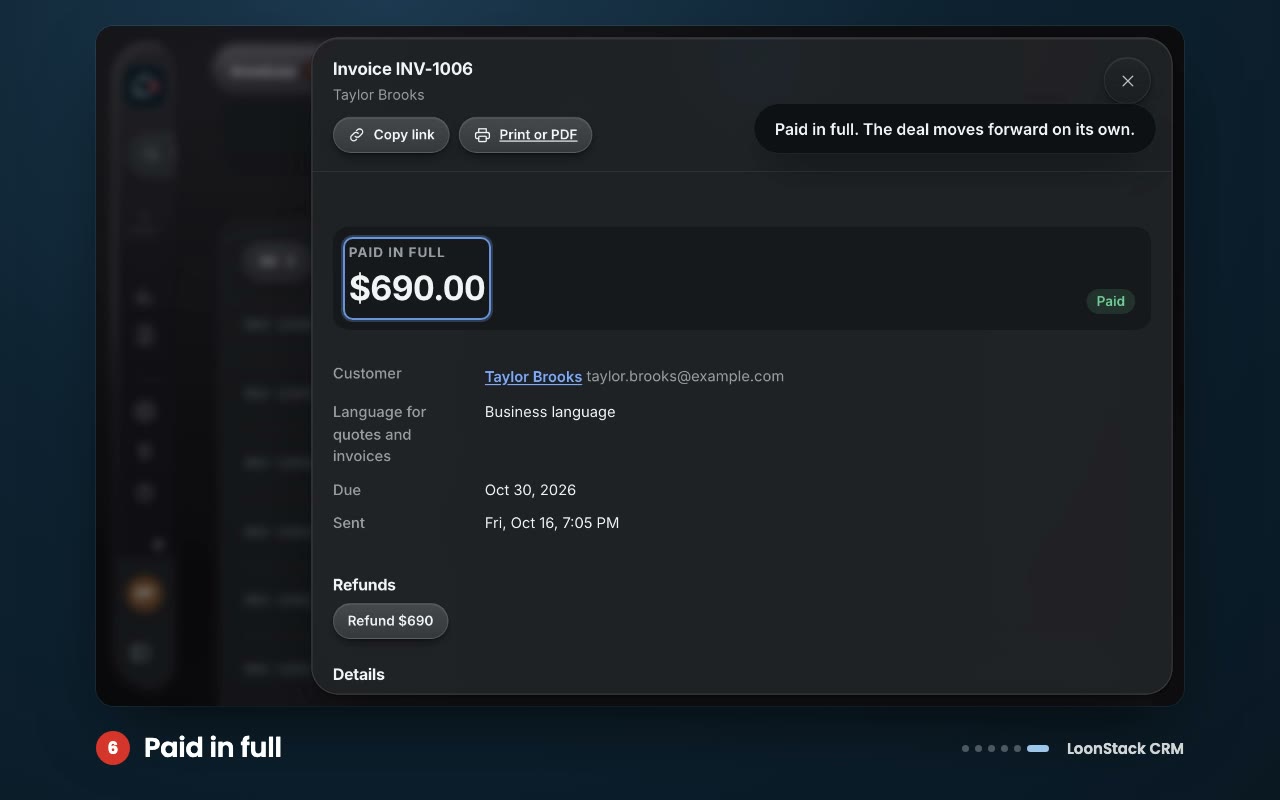 InvoicesInvoices with a pay button.Watch it work
Built in for pest control pros.
Here is what is ready for pest control pros the day you sign up, on every plan. Each card links to the steps.
Built for the work
- Skill tags and a Suggest button on dispatchTag your people and job types with skills and areas. The Assign list puts people who match first, and Suggest ranks up to three by skills, who is free and how far they are from their last job. It only suggests. You choose who gets the job.
- A live "your tech is on the way" pageWhen your tech taps On my way, the text to the customer carries a private link. The page shows the tech’s first name and photo, a map with the road route and an arrival time, and nothing else about your day. The position is shared only between On my way and Arrived, only the latest spot is kept, and the link ends a day after the job is done. After the visit the customer can rate it. It is on for businesses that go to the customer’s door, and you can turn it on or off in Settings.
- An application log you can printEach product line keeps the EPA registration number, rate, weather and applicator license. Print the application log or take it as a spreadsheet.
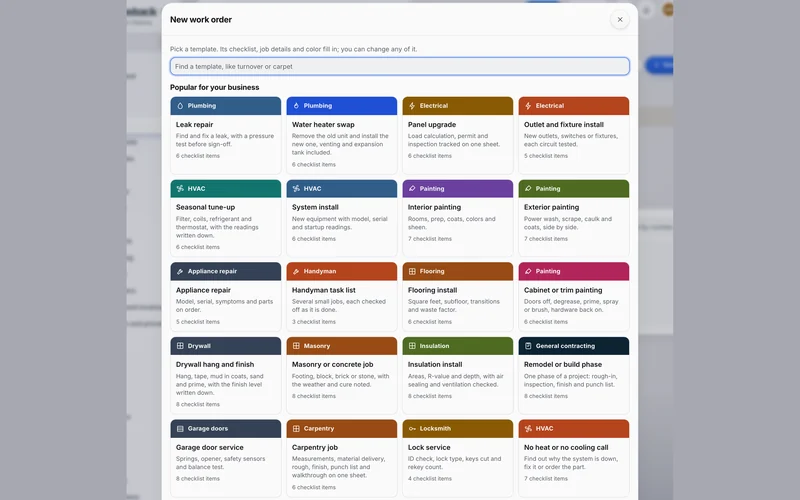 Work order templates for your tradePick the trade on a new work order and its checklist and job details fill in: Pest treatment. Change any of it to match how your crew works.
Set up for you
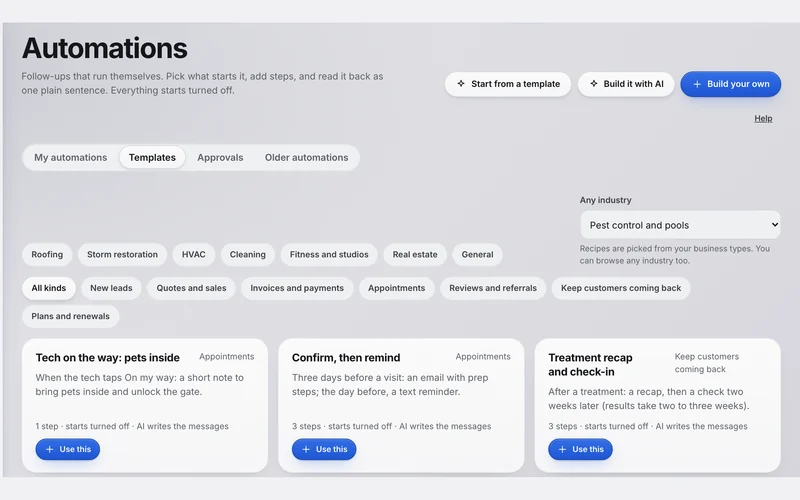 Follow-ups written for pest control prosReady-made automations like "Tech on the way: pets inside" and "Missed route visit". Copy one, change the words, turn it on. They all start turned off.
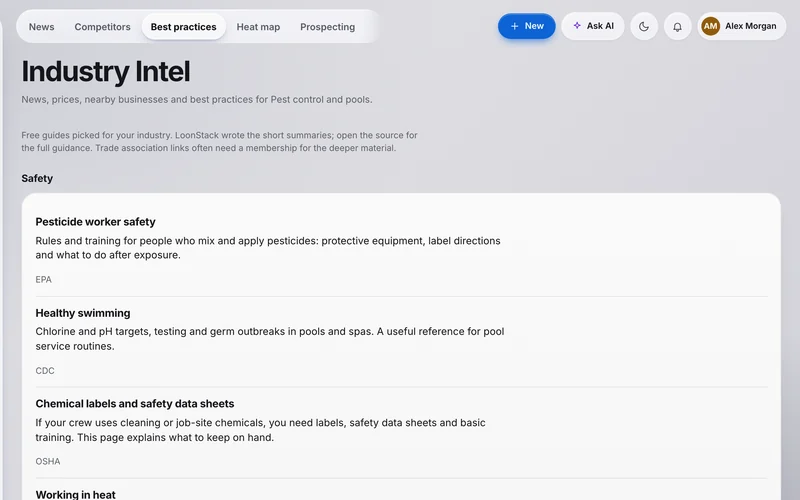 Guides and news for your tradeIndustry Intel picks free guides for pest control pros, like Pesticide worker safety (EPA), each with a short summary, plus trade headlines.
Pictures are from the real app with made-up sample businesses and addresses.
Real problems we solve for pest control companies.
The gaps around the treatment cost pest companies customers. Each one below is a part of the CRM you get on every plan.
Missed calls go to the next company
The problem. You are under a house when the phone rings, and the customer with ants calls the next name on the list.
How we fix it. Turn on the AI receptionist and a missed call gets a text back right away. Website chats and texts get an answer on the channels you choose, and every new contact lands in your pipeline with a next step.
What changes. The lead is still yours when you crawl out.
Quarterly customers quietly lapse
The problem. A quarterly plan runs out, nobody notices, and the customer finds another company.
How we fix it. A service plan can have an end date, and a renewal task is made 30 days before it. Add your own follow-ups with automations, like a check-in after each treatment.
What changes. Renewals show up as a task before the plan ends.
Treatment records live on clipboards
The problem. The product, the areas and the EPA number are on a paper form in the truck, and the customer asks what you used.
How we fix it. The Pest treatment work order has the target pest, the areas treated, the product and EPA registration number, and a re-treat date. Send the customer a report link with the checklist, products and photos.
What changes. The record is on the customer's timeline, and product use exports to CSV for any date range.
"Is the tech coming today?"
The problem. Customers call the office to ask when you will arrive, and to ask if pets should be inside.
How we fix it. Plan the day on the dispatch board and text On my way from the stop. A ready-made "Tech on the way: pets inside" automation is in Templates, off until you turn it on.
What changes. The customer is told before they have to call.
Getting paid takes chasing
The problem. The treatment is done and the payment is not.
How we fix it. Invoice from the work order, and the customer pays with a pay button through your own Stripe, Square, PayPal or other account. Overdue invoices get polite reminders.
What changes. Money goes straight to you, LoonStack adds no fees, and the reminders run themselves.
How LoonStack fits pest control companies.
Four things that cost pest control companies money or customers, and what fixes each one. Every feature is on every plan.
Quotes that match what they asked for
The problem. A customer asks about a quarterly plan and a one-time treatment, and the price is somewhere in a text thread.
How we fix it. On the quote, list the treatment or plan they asked for, with the price per visit. Send it as one link, and the customer signs on their phone and pays a deposit if you ask for one.
What changes. The customer sees exactly what they agreed to, and you stop re-sending revised quotes.
E-signatures are built in
The problem. Service agreements and treatment authorizations used to mean printing, scanning or paying for a separate e-signature tool.
How we fix it. Send them for signature inside LoonStack. A typed or drawn signature is saved with the time, and the signed copy never changes. You do not need DocuSign or a tool like it.
What changes. One less subscription, and every signed copy sits on the customer's record.
One platform instead of a stack of subscriptions
The problem. You pay for a route tool, an invoicing app, a texting app and an e-signature tool, and none of them know what the others know.
How we fix it. LoonStack covers customers, quotes, booking, texting, invoices, e-signatures and follow-ups in one app, from $69 a month with every feature on every plan.
What changes. One bill, one place to look, and the details stop disagreeing.
Missed calls go to the next company
The problem. You are under a house when the phone rings, and the customer with ants calls the next company.
How we fix it. Turn on the AI receptionist and a missed call gets a text back right away. Website chats and texts get an answer on the channels you choose, and every new contact lands in your pipeline with a next step.
What changes. The caller gets an answer, and the lead is still yours.
Switching from other software?
Today you can bring your contacts from a CSV, Excel or vCard file. You can import your full history too: customers, jobs, appointments, invoices and notes. See the export steps for your old software.
Business types on this page: Pest control.
Questions about the Pest control CRM
What does LoonStack set up for pest control?
Pick Pest control as your type of business when you sign up. LoonStack sets the pipeline stages (New lead, Estimate, Active contract, Seasonal pause, Lost), the fields and the follow-ups for you. You can change any of it later.
Which features do pest control companies use most?
Dispatch: A column per tech and a suggested stop order. Texting: On my way, arrived and done texts from your own number. Work orders and change orders: A treatment record with the target pest, areas, product, EPA number and re-treat date. Automations: Renewal and seasonal follow-ups. Every feature is on every plan.
Can I record the product and EPA number on each visit?
Yes. The Pest treatment work order has the target pest, the areas treated, the product and EPA registration number, and a re-treat date. Products applied can be added with the amount, area and target. Product use for any date range exports as a CSV for your own record keeping. Check what your state asks you to keep.
Can customers get a report after the visit?
Yes. Send report emails or texts the customer a link to the visit page, which shows the checklist, the products and the photos.
How do I keep quarterly customers from lapsing?
A service plan can have an end date, and a renewal task is made 30 days before it. Billing stops at the end. Automations add your own follow-ups, like a check-in after a treatment or a reminder when a visit was missed.
Can I tell customers to keep pets inside?
Yes. A ready-made automation called "Tech on the way: pets inside" is in Automations, Templates. Copy it, change the words and turn it on. Ready-made automations all start turned off.
How much does the Pest control CRM cost?
Solo is $69 a month for 1 user, Crew is $129 a month for up to 10 users and Company is $199 a month with no user limit. Paying yearly takes $10 off each month. Every feature is on every plan, there is no contract, and the first 30 days are free.
Can I bring my customers from my old software?
Today you can bring your contacts from a CSV, Excel or vCard file. You can import your full history too: customers, jobs, appointments, invoices and notes. Importing is free during the trial.
Other industries
Every business type gets every feature. See all industries.
Every feature, on every plan.
Every feature is on every plan. 30-day free trial: $0 today, card required, cancel in Billing before day 30 and you pay nothing. Prices may change with 30 days' notice.