

Fence company CRM for fence, siding and gutter installers. Fence jobs, measured, sold and built.
Measure-and-quote visits, quotes with the material and height the homeowner asked for, materials ordered on the job, crews on a dispatch board and invoices paid online.
Watch it work
Quote the fence they asked for.
Put the material and height the homeowner asked for on the quote. They sign on their phone, and the deposit invoice is made for them.
Your pipeline comes set up.
Pick Fence installer as your type of business when you sign up and LoonStack sets these stages, the follow-ups and the fields for you. Change any of it later.
- New lead
- Contacted
- Inspection scheduled
- Inspected
- Estimate sent
- Signed
- Materials ordered
- Scheduled
- In production
- Final walkthrough
- Invoiced
- Paid
- Lost
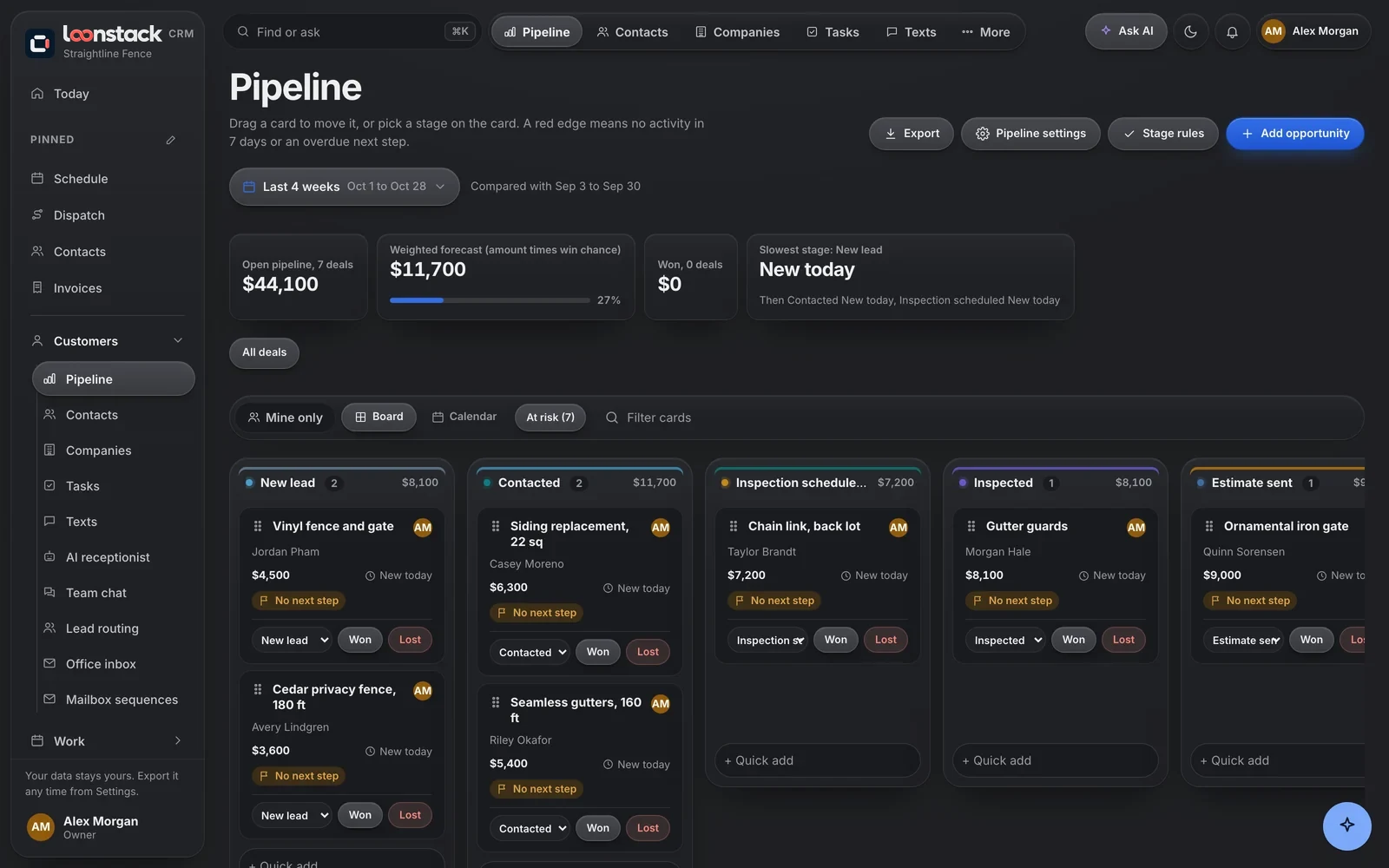
A screenshot of the real app with a sample business, Straightline Fence (sample).
Your workflows.
Each card opens a recording of the real app doing that job.
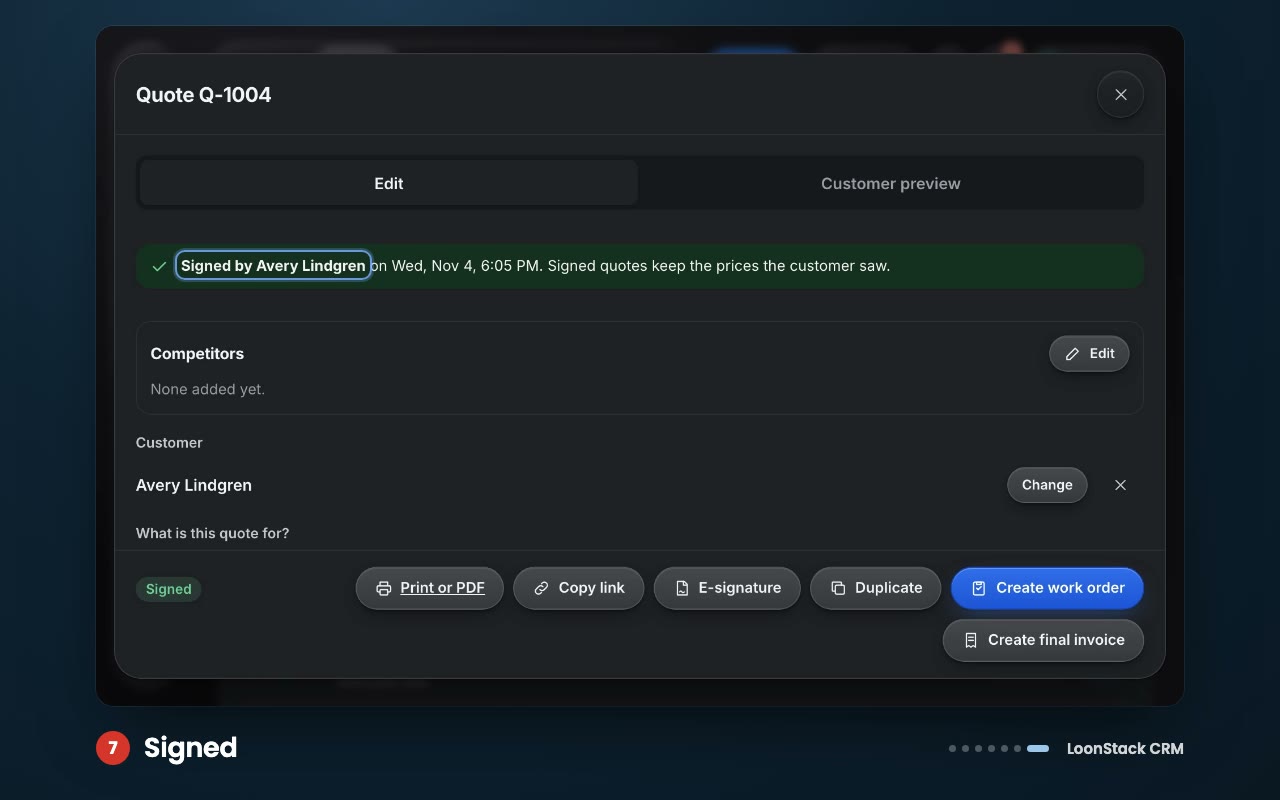 QuotesMaterial and height on one link, signed on the phone.Watch it work
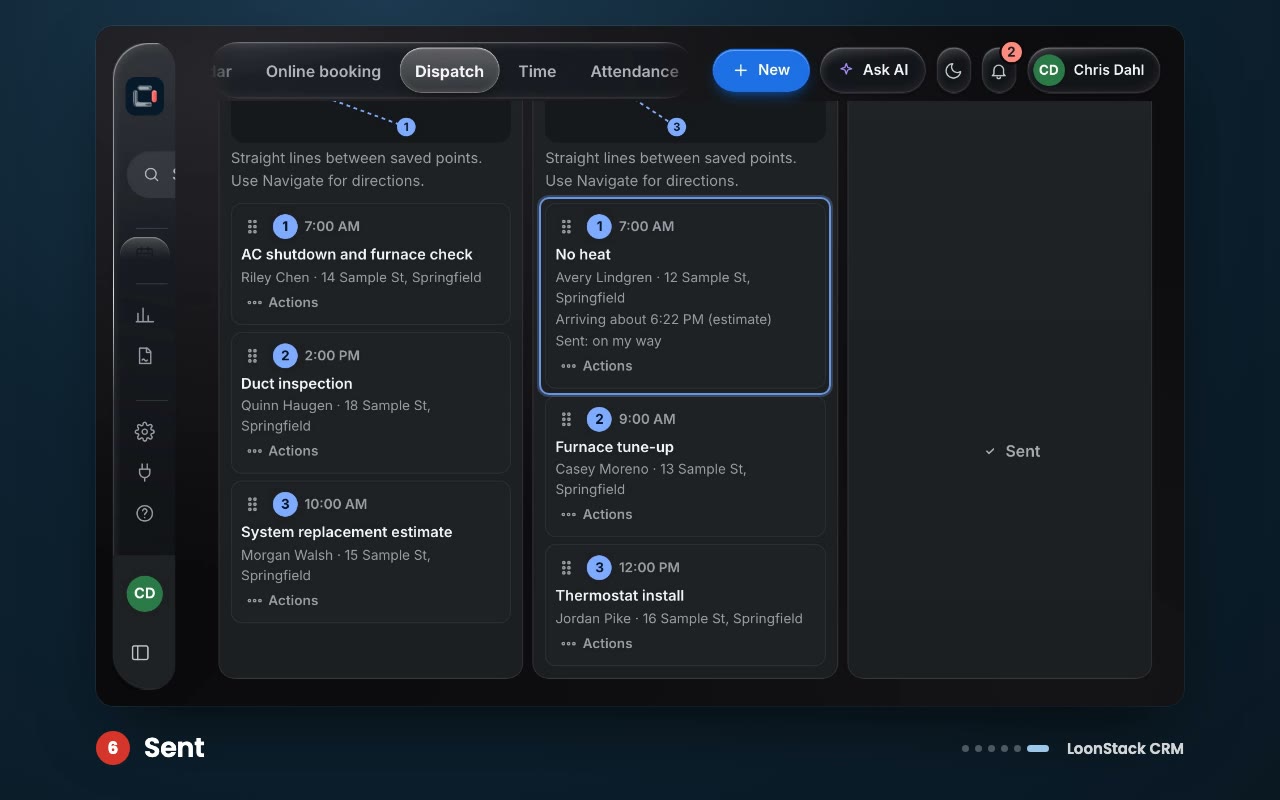 DispatchInstall crews in columns, with a suggested stop order.Watch it work
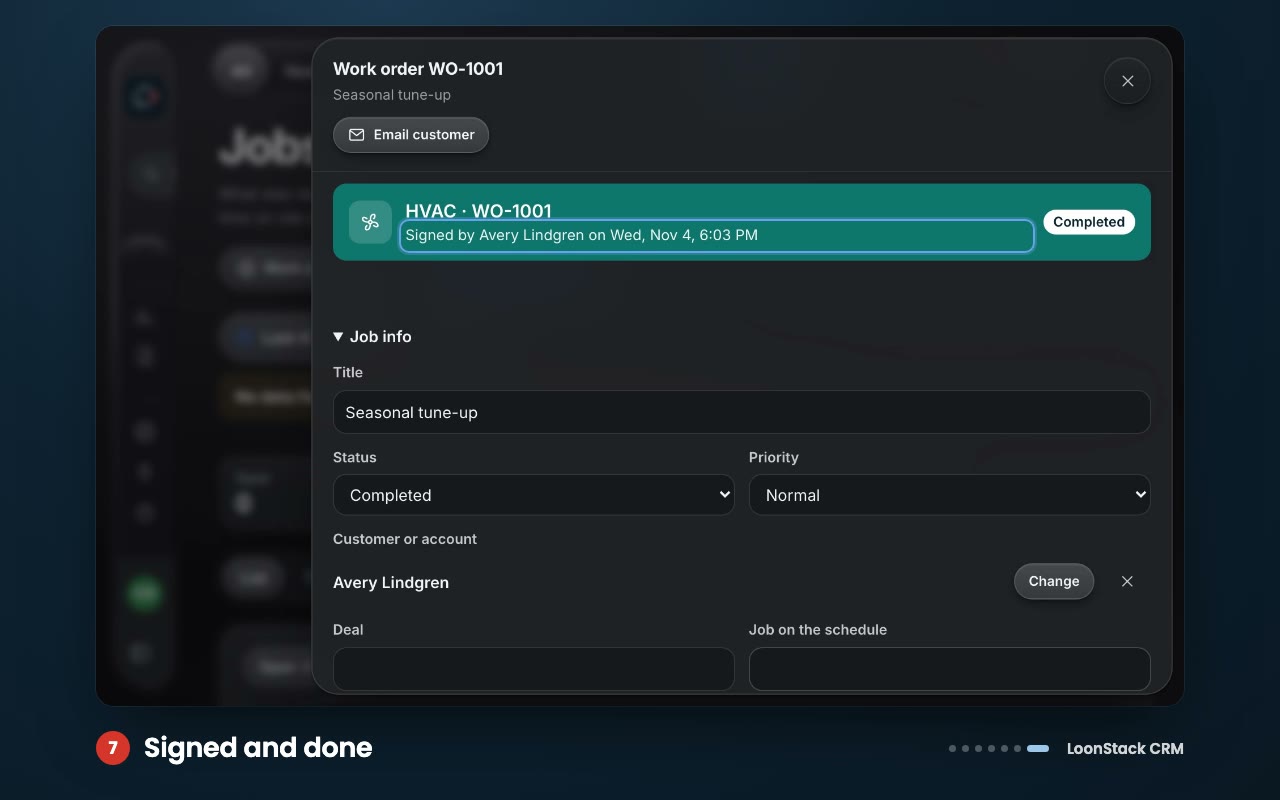 Work orders and change ordersInstall checklists, photos and a signed change order for extra gates.Watch it work
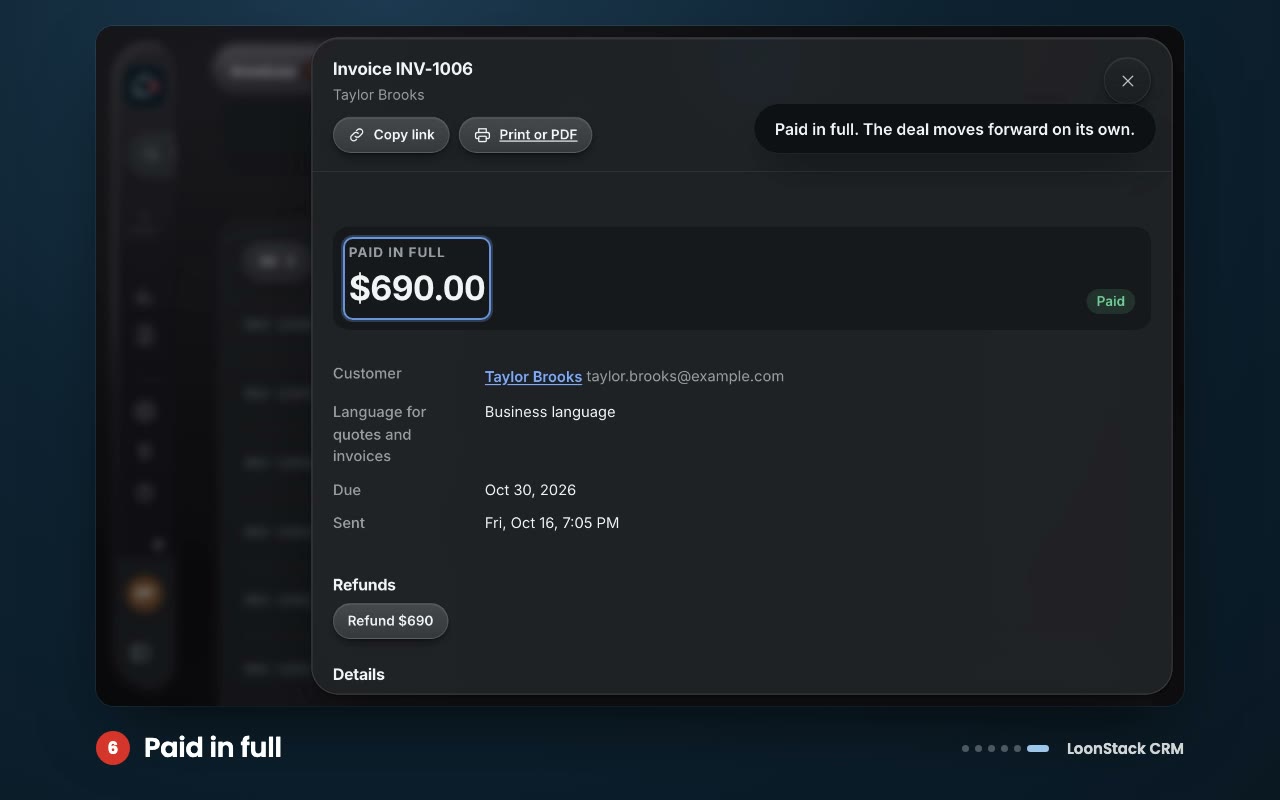 InvoicesDeposit and final invoices with a pay button.Watch it work
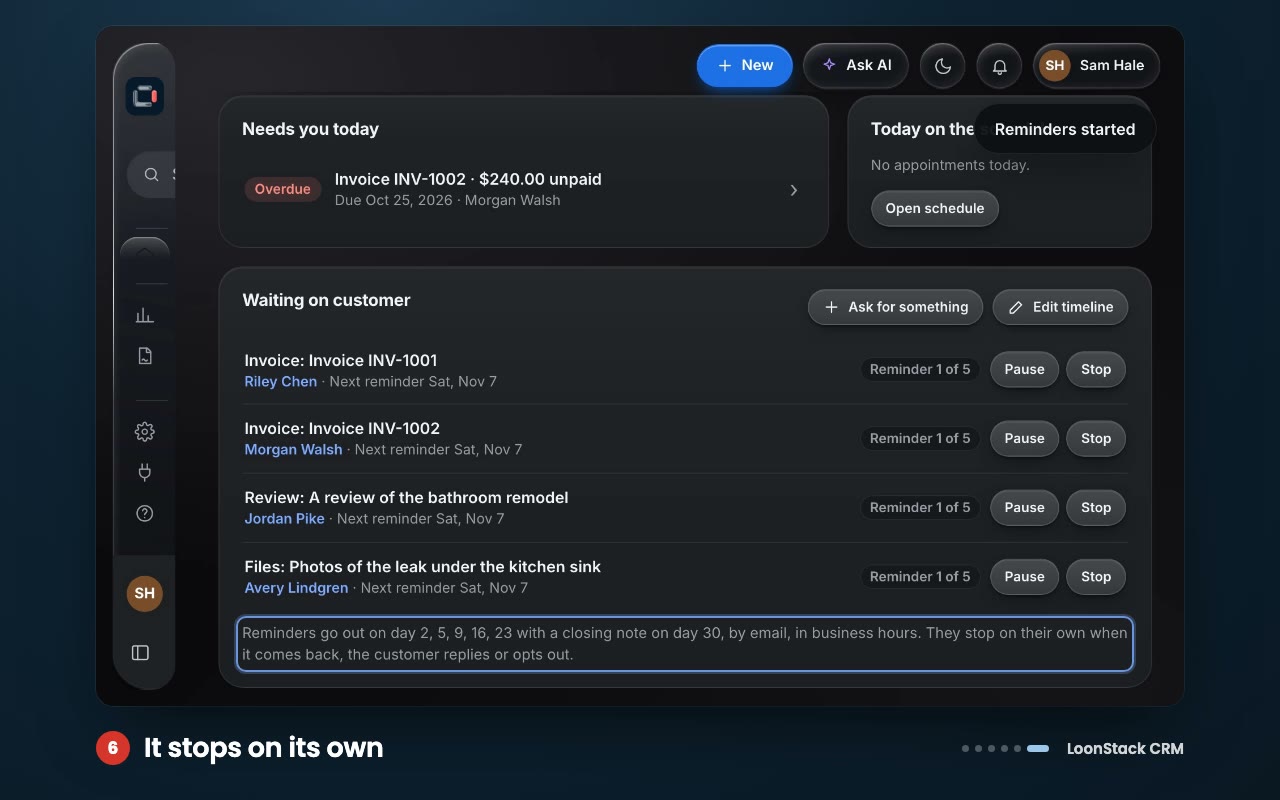 Follow-upsQuotes that sit unsigned get reminders.Watch it work
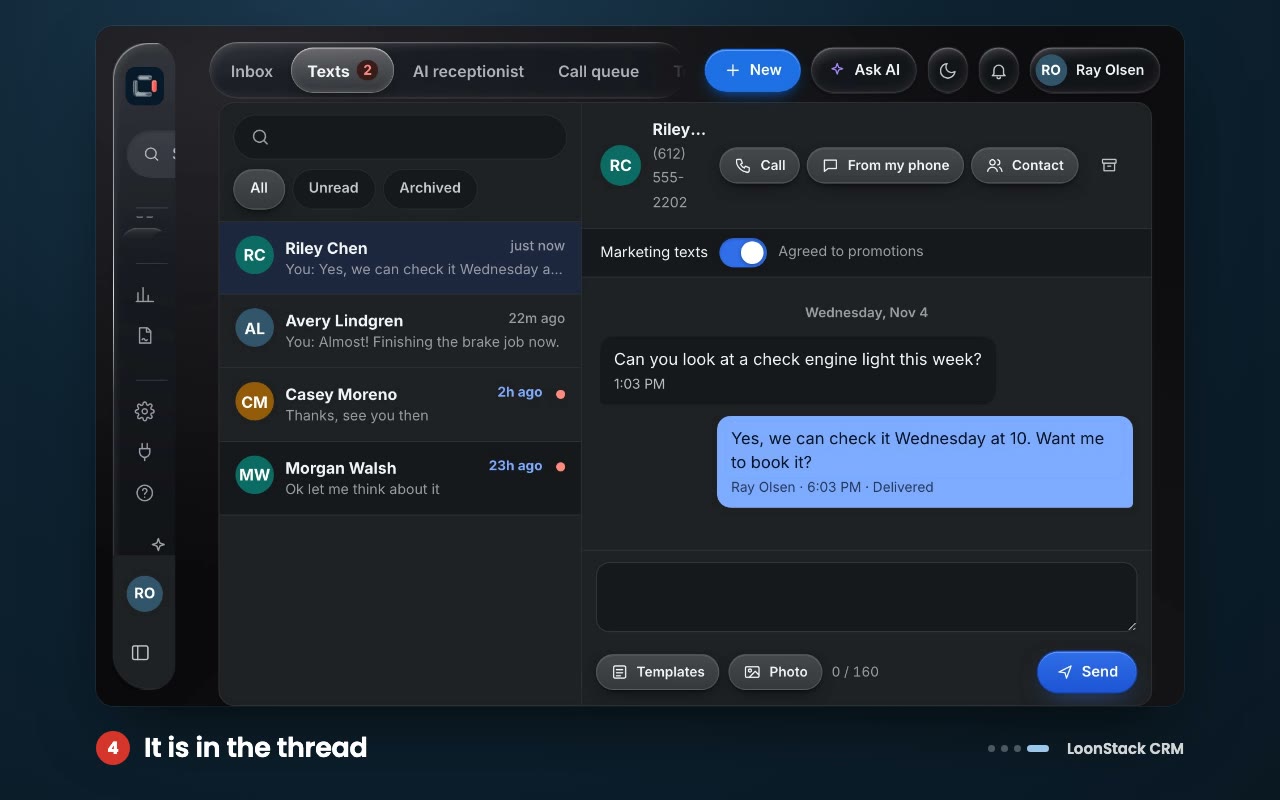 TextingOn my way texts from your own number.Watch it work
Built in for fence, siding and gutter crews.
Here is what is ready for fence, siding and gutter crews the day you sign up, on every plan. Each card links to the steps.
Built for the work
- A follow-up desk for open quotesSee every open quote on a board (Sent, Following up, Negotiating) and a Today list of the ones that went quiet. Quotes that have an email address and have not expired get a drafted follow-up you can edit, send or snooze. Nothing goes out until you press Send.
- A live "your tech is on the way" pageWhen your tech taps On my way, the text to the customer carries a private link. The page shows the tech’s first name and photo, a map with the road route and an arrival time, and nothing else about your day. The position is shared only between On my way and Arrived, only the latest spot is kept, and the link ends a day after the job is done. After the visit the customer can rate it. It is on for businesses that go to the customer’s door, and you can turn it on or off in Settings.
- A fence materials list from total feetEnter the total feet and the style in the estimator and get posts, rails, pickets, caps, concrete and gates, ready to price.
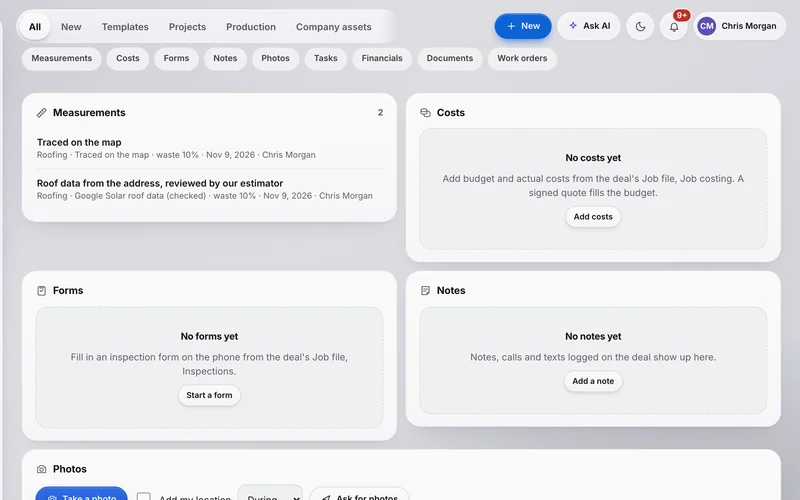 Measure the roof from the officeType the address and LoonStack fills in roof area, pitch and facets from Google's roof data, at no extra cost. Or trace the roof on a free aerial photo and it adds up the eaves, rakes, ridges, hips and valleys. Check the numbers before you order.
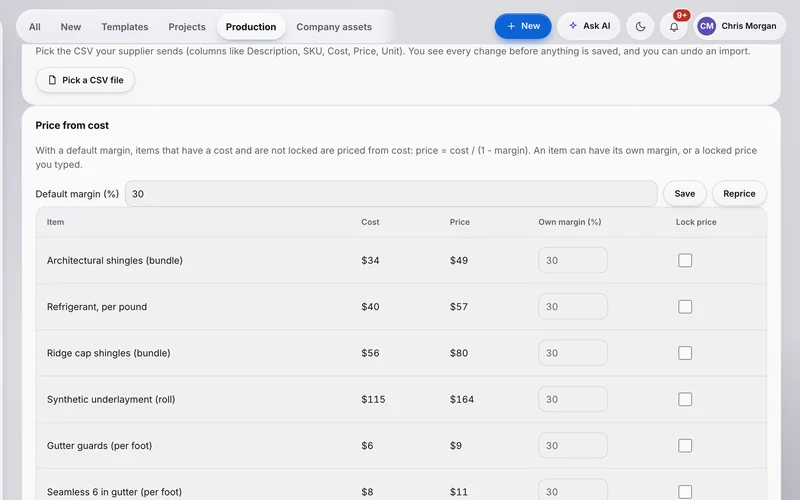 Your supplier's prices, your marginUpload your supplier's price list and see what changed before you apply it. Items get priced from cost at your margin. Type the total you want on a quote and LoonStack spreads the markup to hit it, never below cost.
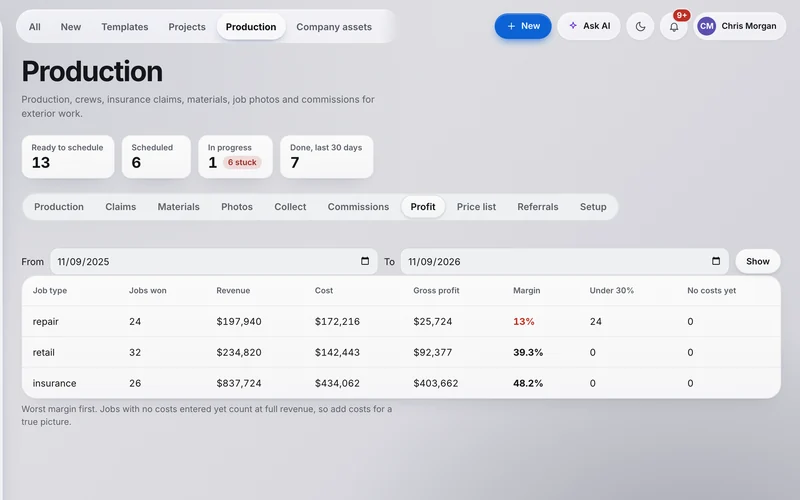 Profit by job typeWon jobs grouped by type, with revenue, cost, gross profit and margin. The worst ones are at the top, so you see which jobs aren't paying.
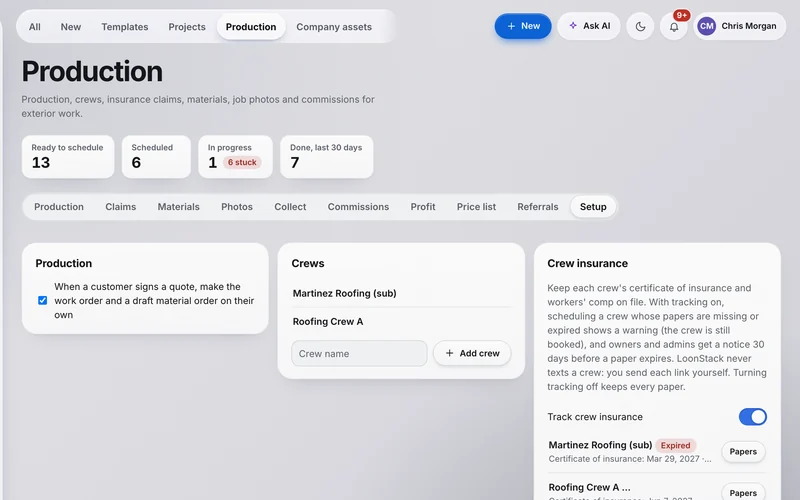 Crews with their papers in orderKeep each crew's insurance, workers' comp and license with the expiration dates. Book a crew with expired papers and you get a warning, and you hear about it 30 days before anything runs out.
More leads
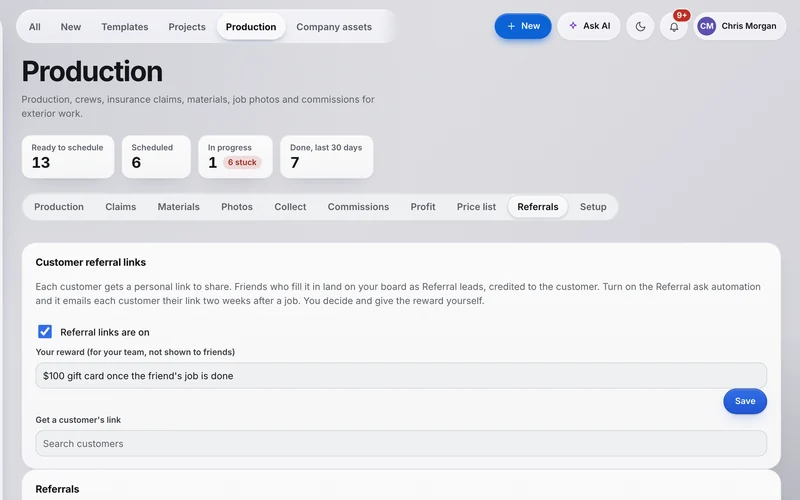
Set up for you
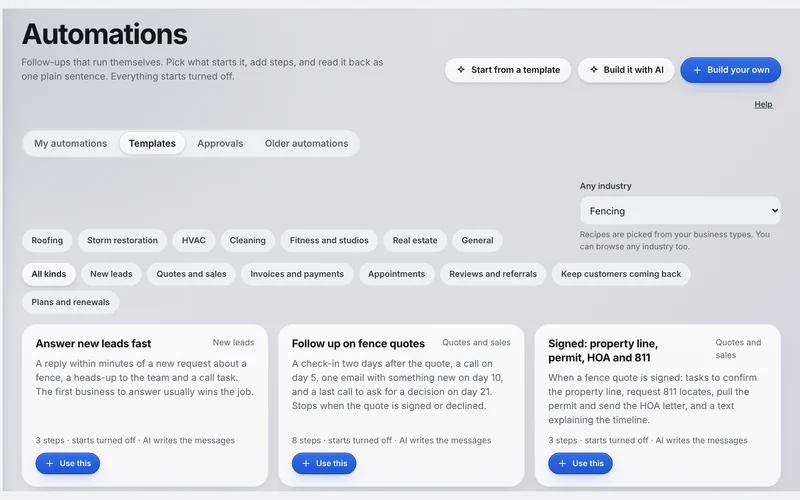
Pictures are from the real app with made-up sample businesses and addresses.
How LoonStack fits fence, siding and gutter installers.
Four things that cost fence, siding and gutter installers money or customers, and what fixes each one. Every feature is on every plan.
Quotes that match what they asked for
The problem. A homeowner asks for 150 feet of cedar privacy fence, and the quote needs a return trip.
How we fix it. On the quote, list the material, the height, the footage and the gates. Send it as one link, and the customer signs on their phone and pays a deposit if you ask for one.
What changes. The customer sees exactly what they agreed to, and you stop re-sending revised quotes.
E-signatures are built in
The problem. Installation agreements and change orders used to mean printing, scanning or paying for a separate e-signature tool.
How we fix it. Send them for signature inside LoonStack. A typed or drawn signature is saved with the time, and the signed copy never changes. You do not need DocuSign or a tool like it.
What changes. One less subscription, and every signed copy sits on the customer's record.
One platform instead of a stack of subscriptions
The problem. You pay for an estimating tool, a CRM, an invoicing app and an e-signature tool, and none of them know what the others know.
How we fix it. LoonStack covers customers, quotes, booking, texting, invoices, e-signatures and follow-ups in one app, from $69 a month with every feature on every plan.
What changes. One bill, one place to look, and the details stop disagreeing.
Missed calls go to the next company
The problem. You are setting posts when the phone rings, and the homeowner with a gate problem calls the next fence company.
How we fix it. Turn on the AI receptionist and a missed call gets a text back right away. Website chats and texts get an answer on the channels you choose, and every new contact lands in your pipeline with a next step.
What changes. The caller gets an answer, and the lead is still yours.
Switching from other software?
Today you can bring your contacts from a CSV, Excel or vCard file. You can import your full history too: customers, jobs, appointments, invoices and notes. See the export steps for your old software.
Business types on this page: Fence installer, Siding contractor, Gutter installer.
Questions about the Fence company CRM
What does LoonStack set up for fencing, siding and gutters?
Pick Fence installer as your type of business when you sign up. LoonStack sets the pipeline stages (New lead, Contacted, Inspection scheduled, Inspected, Estimate sent, Signed, Materials ordered, Scheduled, In production, Final walkthrough, Invoiced, Paid, Lost), the fields and the follow-ups for you. You can change any of it later.
Which features do fence, siding and gutter installers use most?
Quotes: Material and height on one link, signed on the phone. Dispatch: Install crews in columns, with a suggested stop order. Work orders and change orders: Install checklists, photos and a signed change order for extra gates. Invoices: Deposit and final invoices with a pay button. Every feature is on every plan.
Can I note property lines and utility marks on a fence job?
Yes. Add notes and photos to the job and the work order, so the crew sees the line and the locate marks before they dig.
Does it work for siding and gutter jobs too?
Yes. Siding contractor and gutter installer are business types in LoonStack and get the same stages as fence jobs, from inspection and estimate to materials ordered, final walkthrough and paid.
How much does the Fence company CRM cost?
Solo is $69 a month for 1 user, Crew is $129 a month for up to 10 users and Company is $199 a month with no user limit. Paying yearly takes $10 off each month. Every feature is on every plan, there is no contract, and the first 30 days are free.
Can I bring my customers from my old software?
Today you can bring your contacts from a CSV, Excel or vCard file. You can import your full history too: customers, jobs, appointments, invoices and notes. Importing is free during the trial.
Other industries
Every business type gets every feature. See all industries.
Every feature, on every plan.
Every feature is on every plan. 30-day free trial: $0 today, card required, cancel in Billing before day 30 and you pay nothing. Prices may change with 30 days' notice.